
1. On the left "Catalog Settings", expand "Billboard". 2. Find the image you want to adjust and click "Animation Settings" on the right side of that row. 3. After adjusting, confirm the billboard effect in the preview on the right side. 4. Click "Upload Changes" so buyers and visitors can see the updated content.
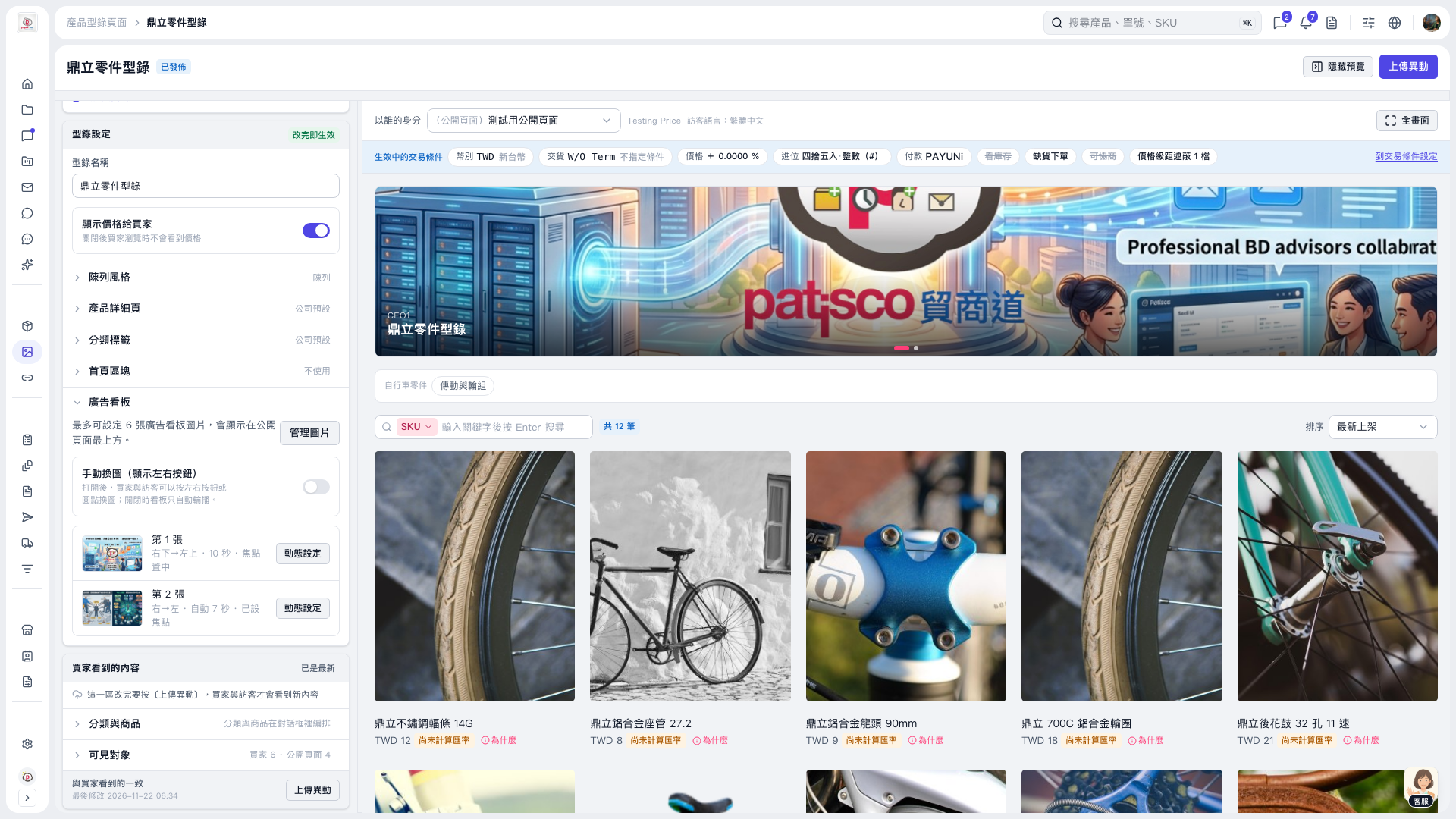 V5 新桌面版|鼎立零件型錄