
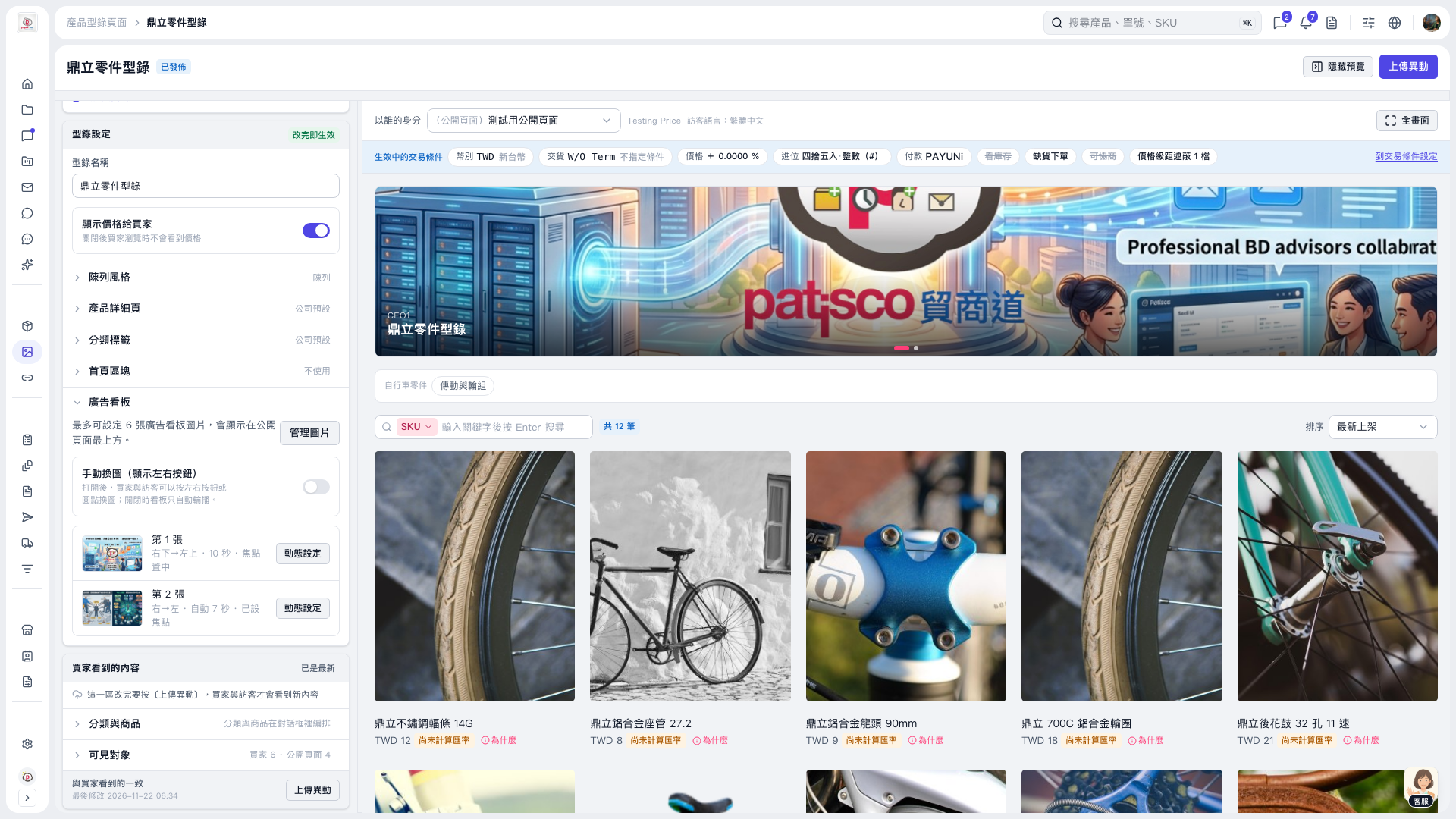
1. On the left "Catalog Settings", expand "Billboard". 2. Enable "Manual Image Switch (Show Left/Right Buttons)" so buyers and visitors can use the left/right buttons or dots to switch images; when disabled, images rotate automatically. 3. Confirm the effect in the preview on the right side, then click "Upload Changes" to publish the settings.
 V5 新桌面版|鼎立零件型錄