
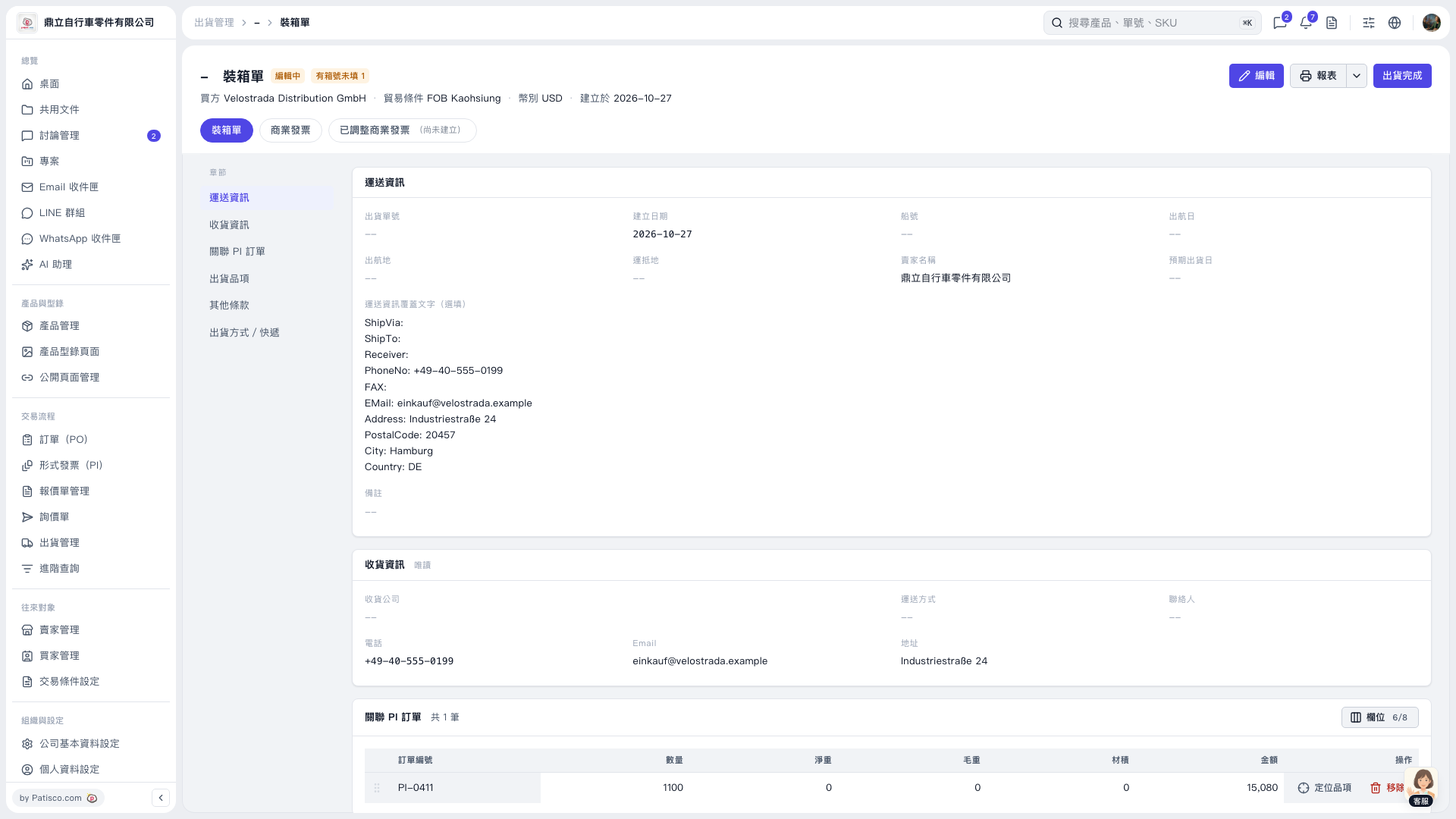
1. On the "Packing List" page, click "Edit" in the top right corner. 2. Check the shipped items according to the "Some box numbers are missing" prompt and fill in the missing box numbers. You can use "Shipped Items" on the left to navigate to the corresponding section, or click "Locate Item" in "Related PI Orders" to find the items. 3. After completing the edits and saving, use "Reports" in the top right corner to verify the document.
 V5 新桌面版|裝箱單