
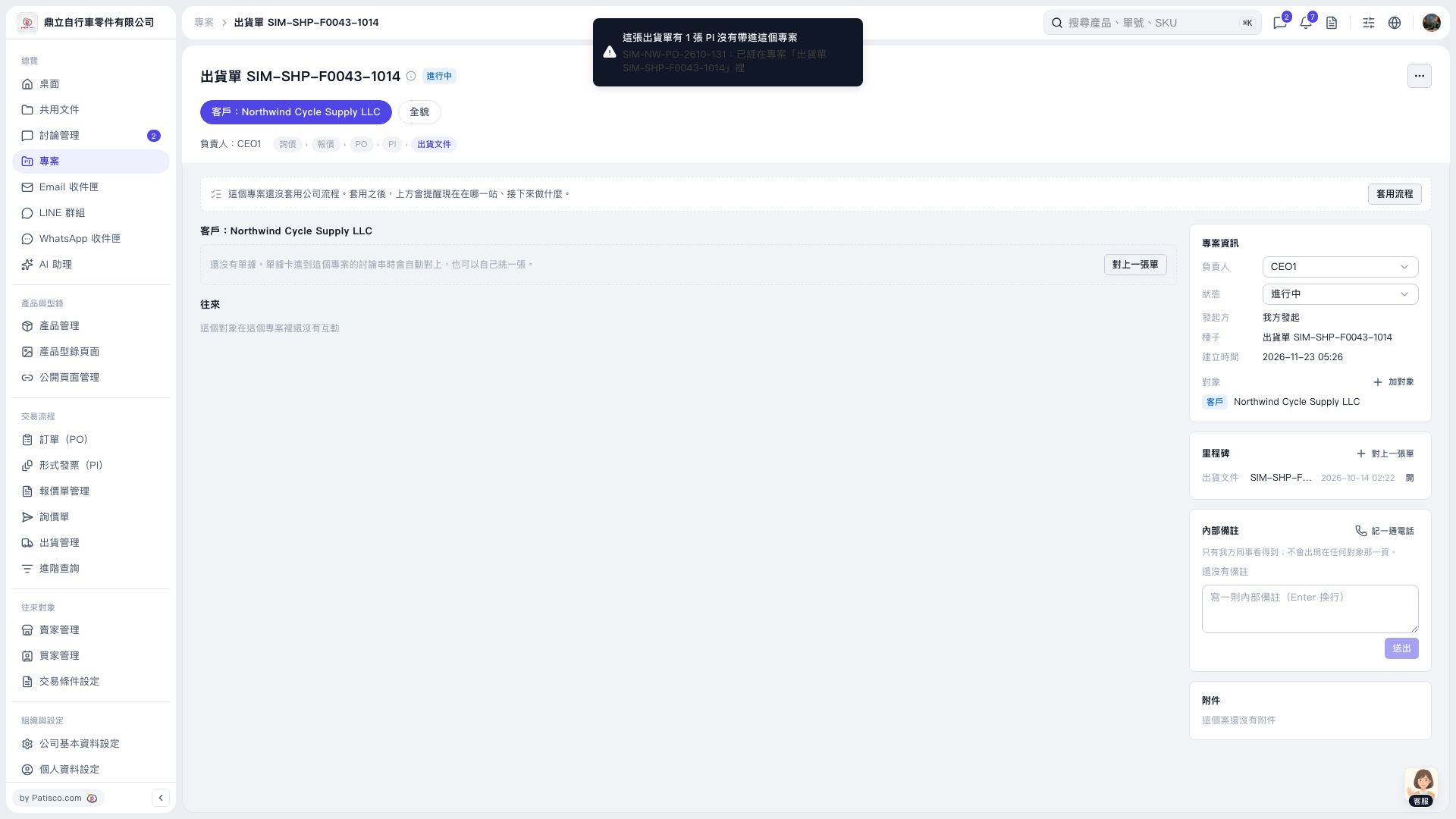
1. Open the shipping project, confirm the project title and customer name, and check if there is a notification at the top indicating a missing PI. 2. Click "Apply Process" at the top to set the company process for the project and view the current stage and next steps. 3. In the customer section or on the right side "Milestone," click "Link to Previous Document" to associate existing documents. 4. To view linked shipping documents, click "Open" in the shipping documents list under "Milestone."
 V5 新桌面版|出貨單 SIM–SHP–F0043–1014