
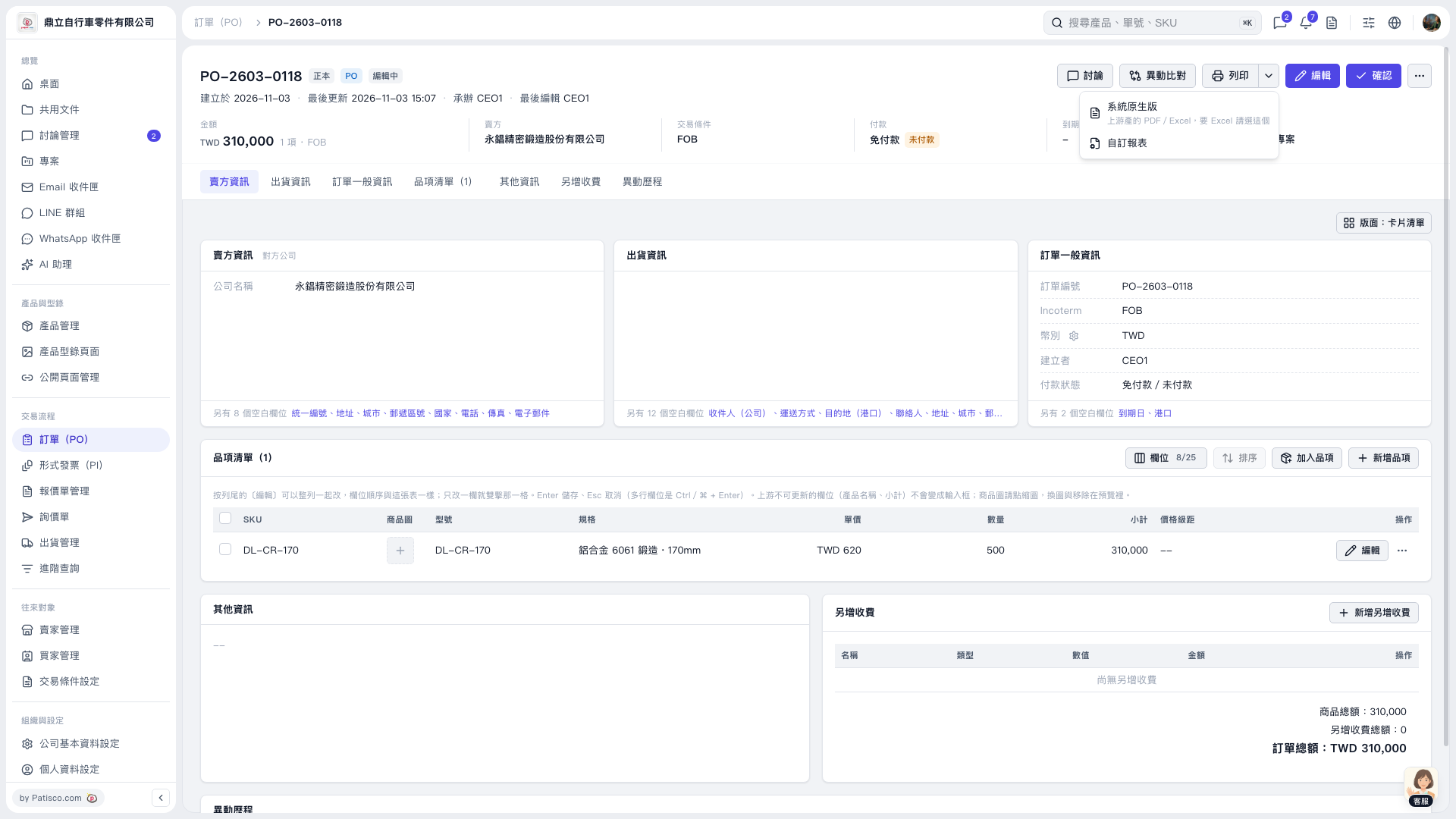
1. Open the PO you want to output and check the PO number, items, and PO total. 2. Click the drop-down arrow next to "Print" in the upper-right corner to expand the output menu. 3. Select "System Native Version" to use the system's native PDF or Excel output. Select this option for Excel as well. 4. Select "Custom Report" to output in a custom format.
 V5 新桌面版|PO-2603-0118