
1. Use [Search Discussions] on the left to find and select the discussion thread you want to open. 2. Review the message history in the center and the participant information on the right. 3. Enter your message in the [Enter Message] field at the bottom. To attach a file, click the attachment icon to the right of the input field. 4. Click [Send to…] to set the recipients and check who can see the message. If [Only colleagues can see this] appears, the message is visible only to colleagues. To reply by email, select [Reply by Email]. 5. After checking the content and recipients, click [Send].
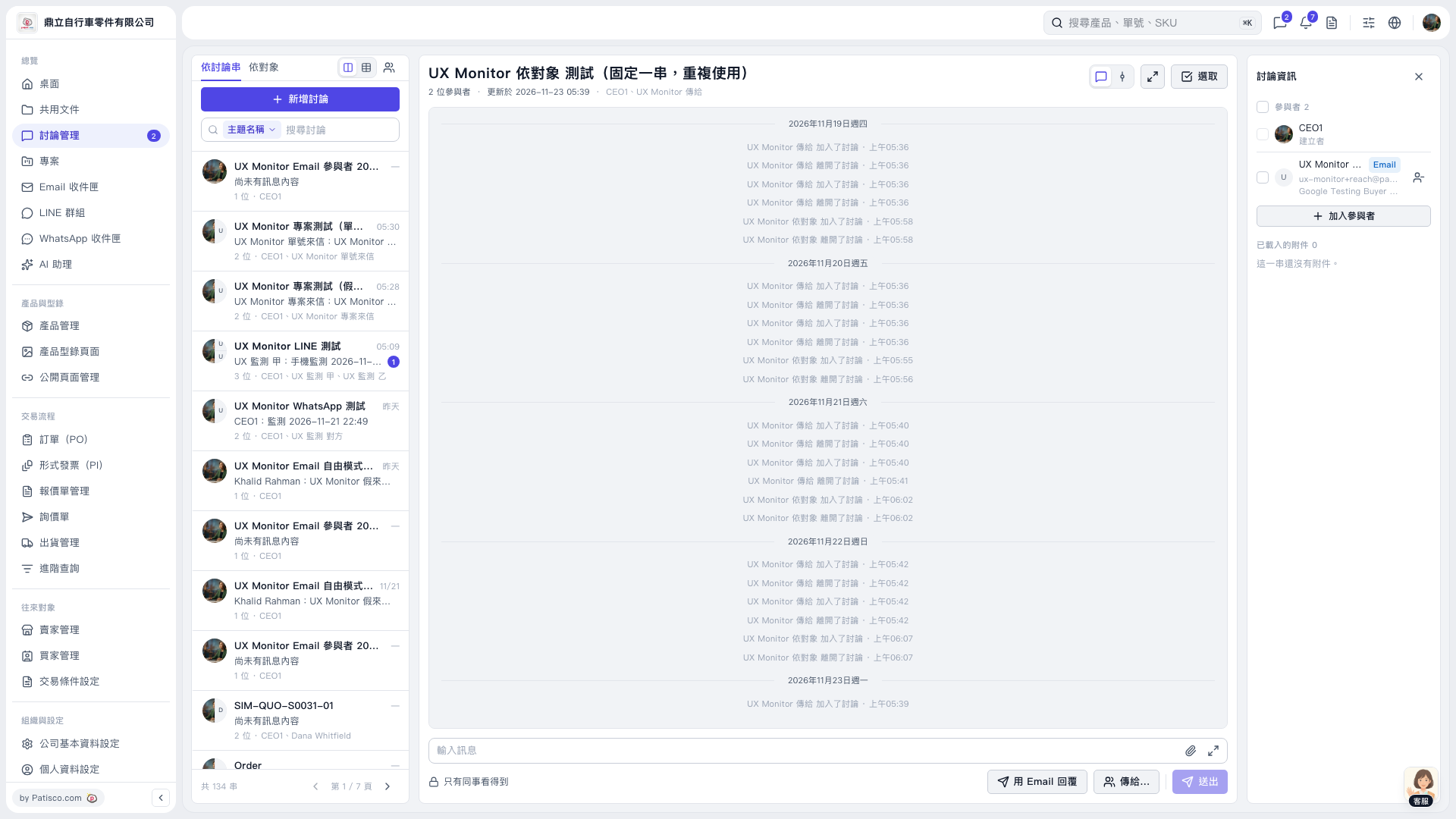 V5 新桌面版|UX Monitor 依對象 測試(固定一串,重複使用)