
1. Select a thread from the discussion list on the left. You can also use [Search Discussions] to find a topic. 2. Under [LINE Members] on the right, find the member you want to identify. 3. If the member is a colleague, click [This is a colleague]. If the member is a company contact, click [This person belongs to a company] to set the corresponding identity.
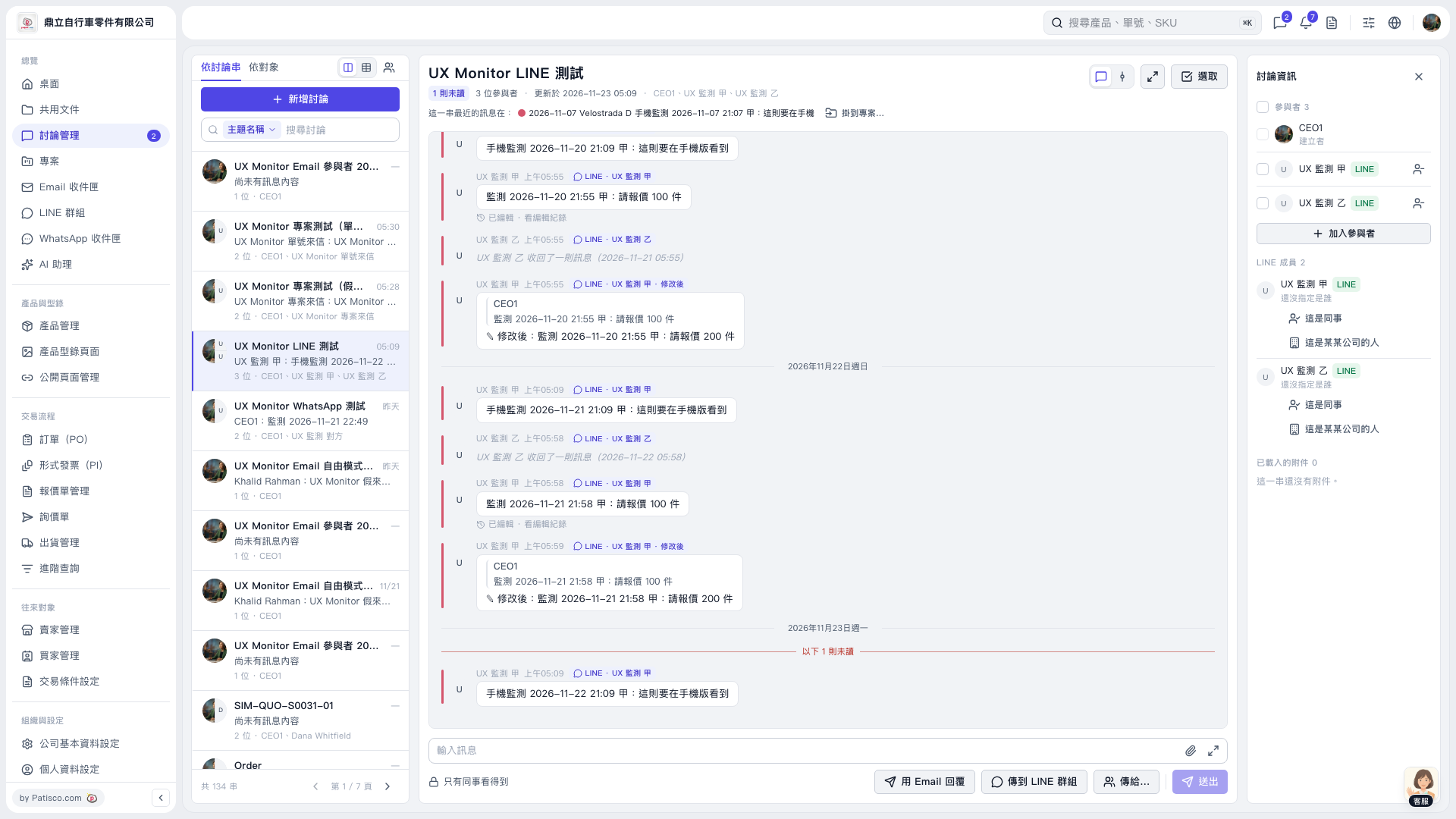 V5 新桌面版|UX Monitor LINE 測試