
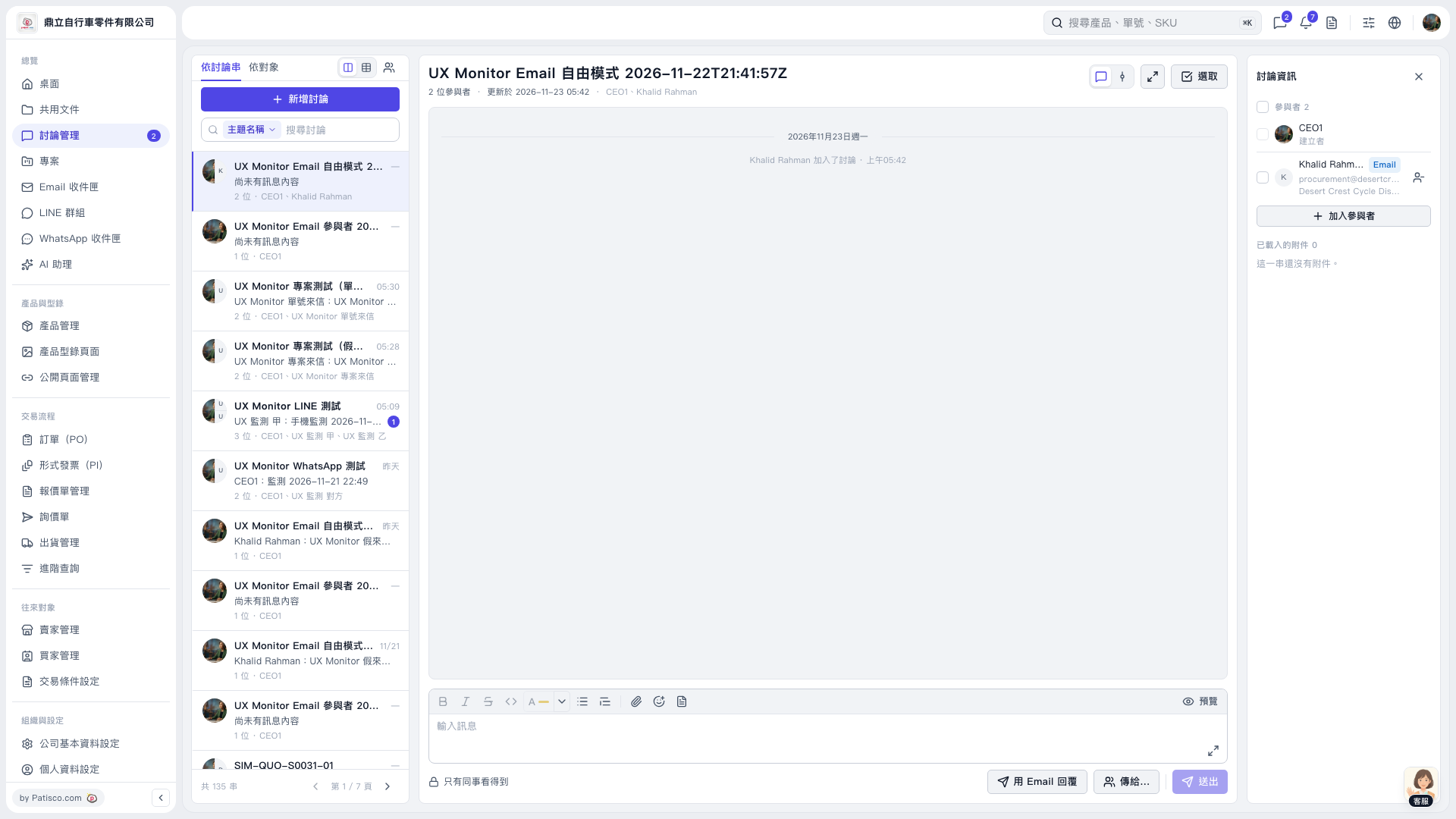
1. Select the discussion you want to reply to from the discussion list on the left. You can also use "Search discussions" to find it. 2. Confirm the discussion title and the "Participants" on the right, then click "Reply by email" below the message editor. 3. Enter your reply in the message editor. 4. Click "Preview" to check the content, and use "Send to…" to confirm the recipients and who can view the message. 5. Once you have checked everything, click "Send".
 V5 新桌面版|UX Monitor Email 自由模式 2026-11-22T21:41:57Z