
1. Open "Profile Settings" and find the "My Mailbox" section. 2. Click "Connect Google Mailbox" or "Connect Microsoft Mailbox" and complete the authorization process to connect it. 3. If authorization for your company's Microsoft account is blocked, click "If your company's Microsoft account is blocked, ask your IT administrator to approve access" to view the approval instructions. 4. Once connected, check the connected mailbox, email provider, sync status, and last sync time in "My Mailbox".
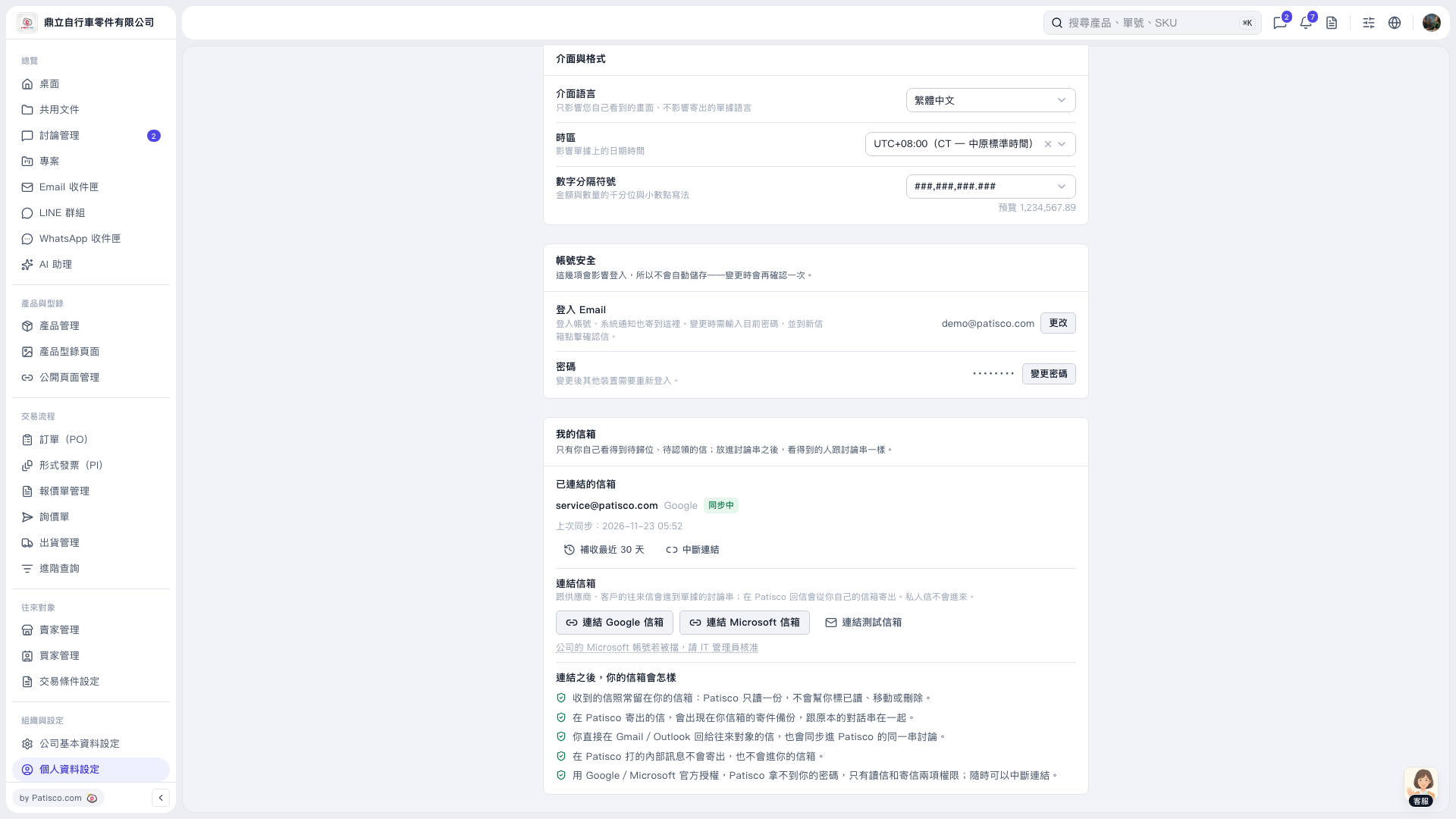 V5 新桌面版|個人資料設定