
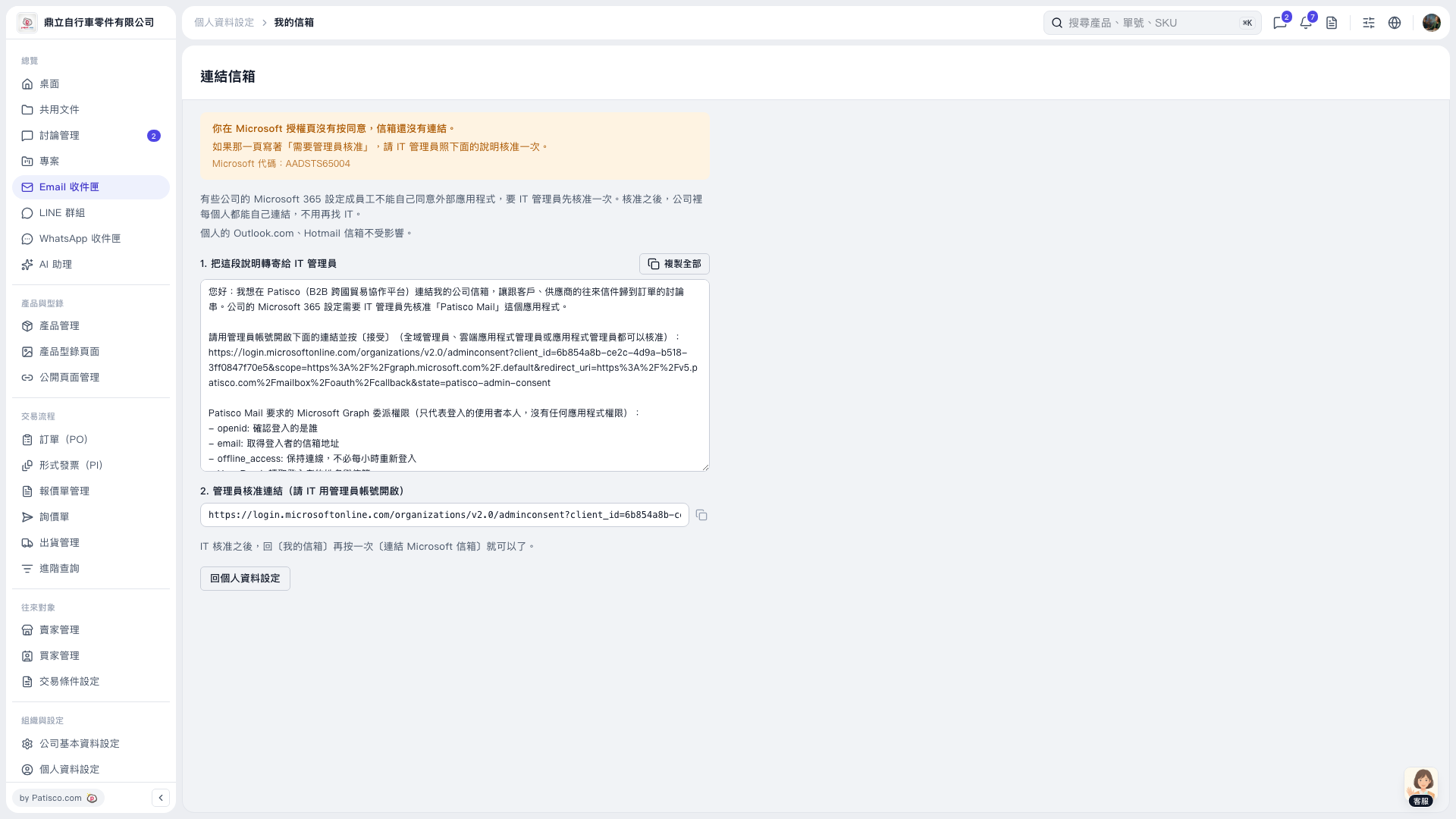
1. Check the authorization failure message on the "Connect Mailbox" page. The mailbox is not connected until authorization is complete. 2. If your company's Microsoft 365 requires administrator approval, click "Copy All" and send the complete approval instructions to your IT administrator. You can also copy the approval link by clicking the copy icon to the right of the "Administrator Approval Link (IT administrators must open this using an administrator account)" field. 3. Ask your IT administrator to open the approval link using an administrator account and click "Accept" to complete the approval. 4. After approval, click "Back to Personal Profile Settings" to return to "My Mailboxes", then click "Connect Microsoft Mailbox" again to complete the connection.
 V5 新桌面版|連結信箱