
1. In "Email Inbox", click "Pending Filing", then select the email to process from the list on the left. 2. Review the subject, sender, body, and attachments on the right, then check "Reason for Suggestion" in the "Where to File" section. 3. If it is a new document, click "This Is a New Document". To specify where to file it, click "Move to...". To create a new discussion thread, click "Start New Discussion".
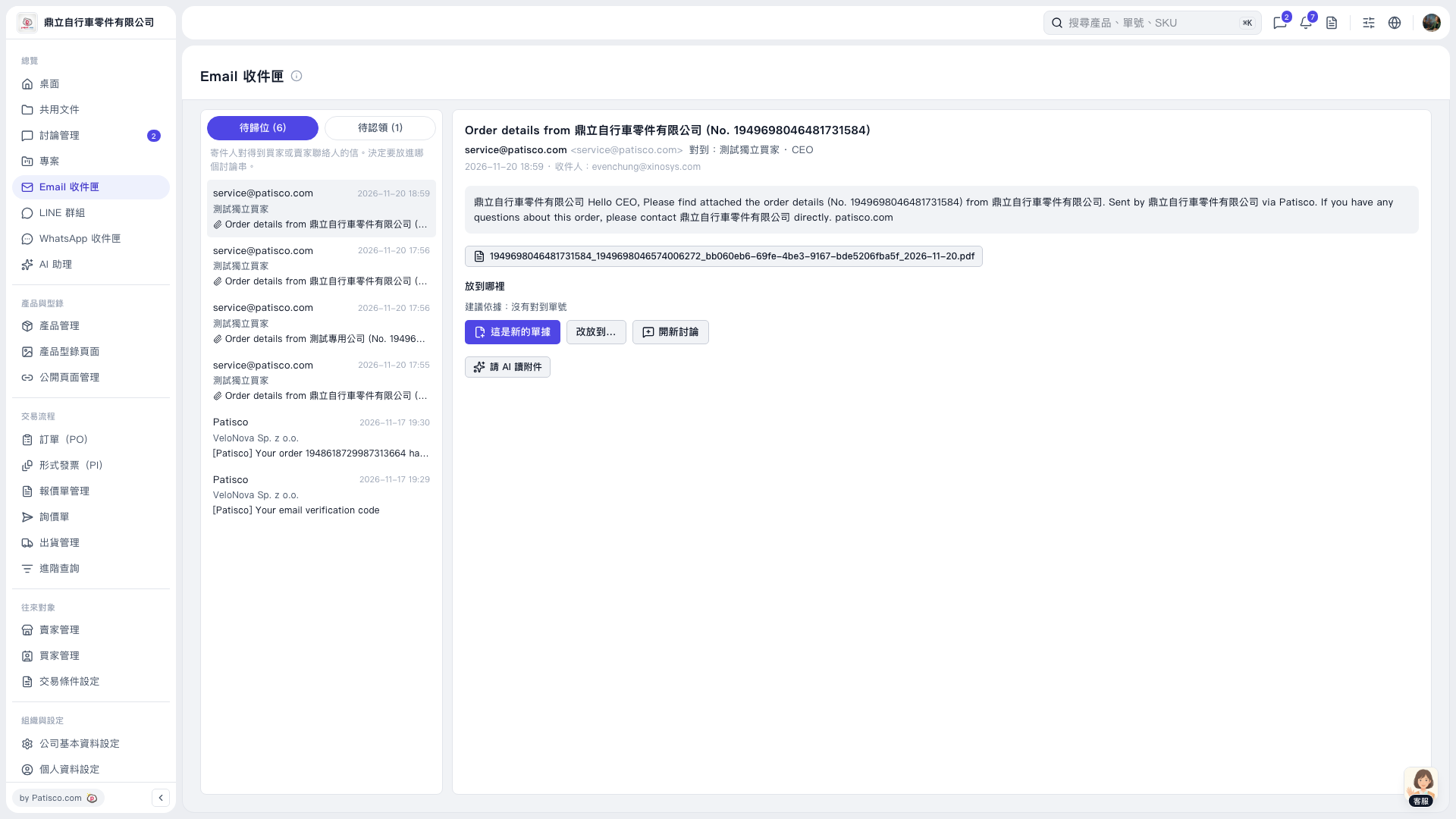 V5 新桌面版|Email 收件匣