
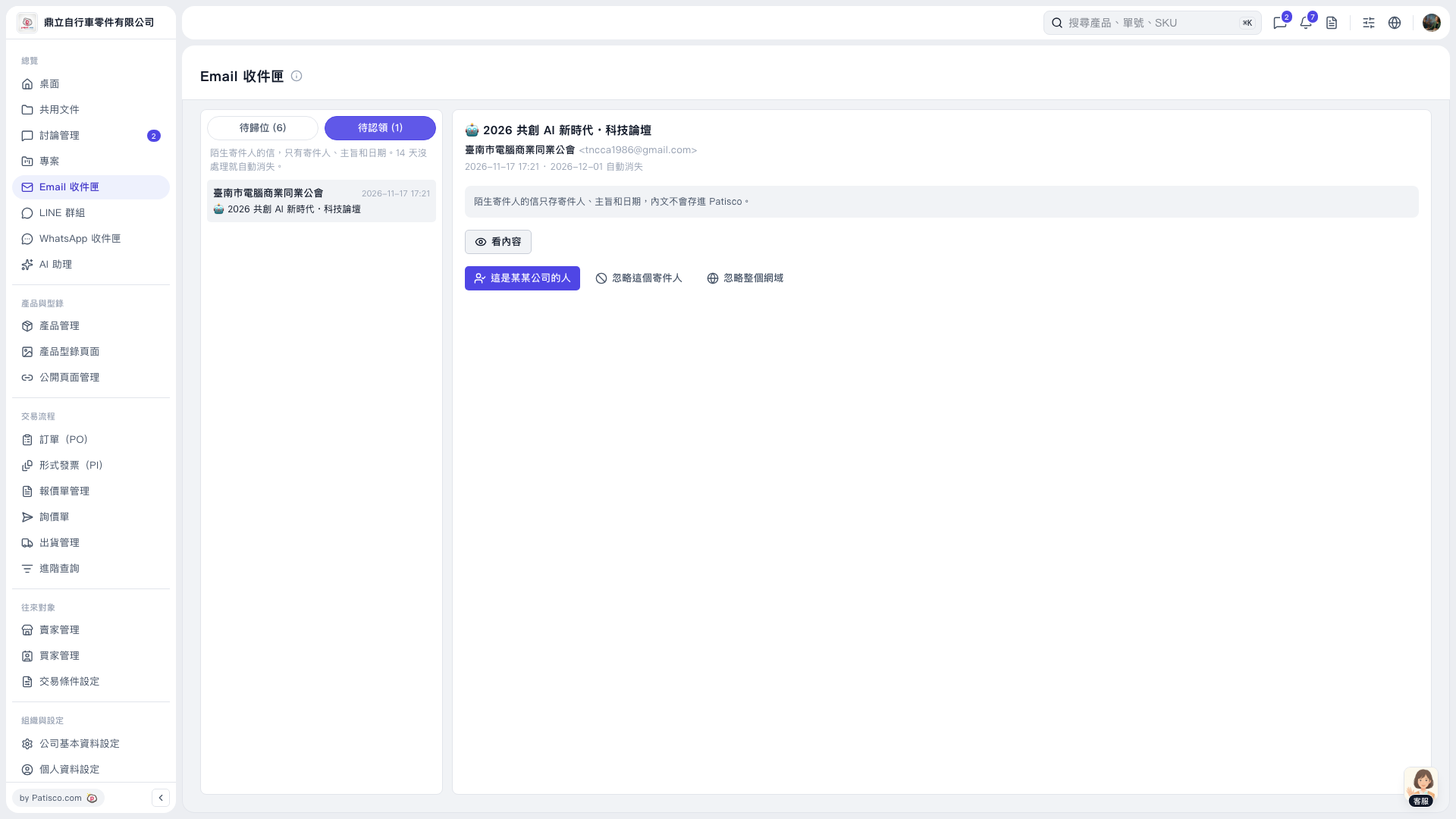
1. Click "Pending Assignment", then select the email to process. 2. To assign the sender to a company, click "This Person Belongs to a Company" and set their company affiliation. 3. If no action is needed, click "Ignore This Sender". To ignore the sender's entire domain, click "Ignore Entire Domain". 4. Check the "Automatic Removal Date" and complete processing before the deadline shown on the screen.
 V5 新桌面版|Email 收件匣