
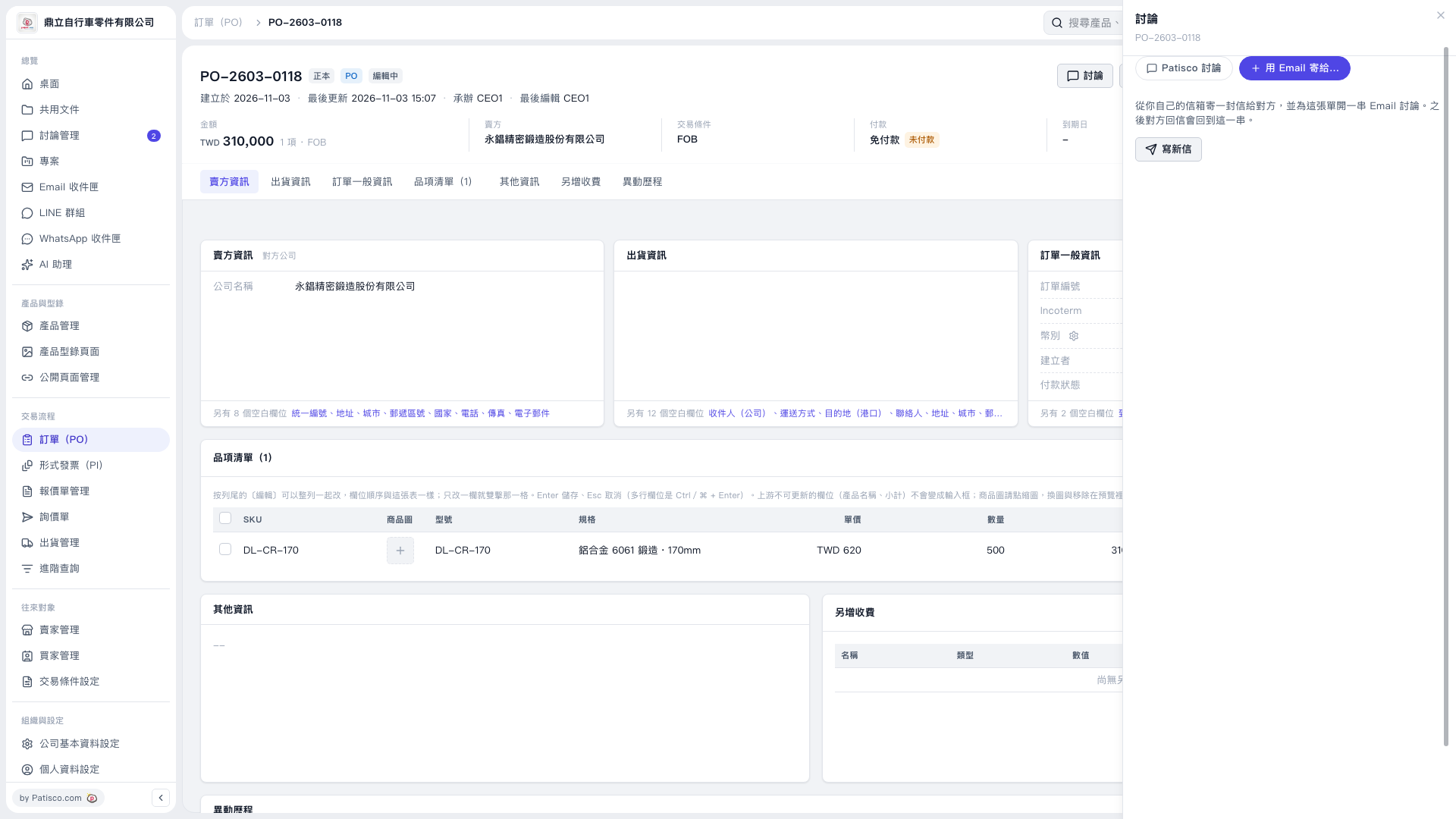
1. Open the PO you want to process and check its PO number, seller, amount, and item details. 2. Click "Discussion" in the upper-right corner, then select "Send by Email to…" in the discussion panel on the right. 3. Click "Compose New Email" to start writing the PO email. 4. Make sure "Attach This PO's PDF" is checked and confirm the PDF language. You will see an "English" option. 5. Check the recipient and email content. If the recipient field is blank, enter the other party's email address first.
 V5 新桌面版|訂單 PO–2603–0118