
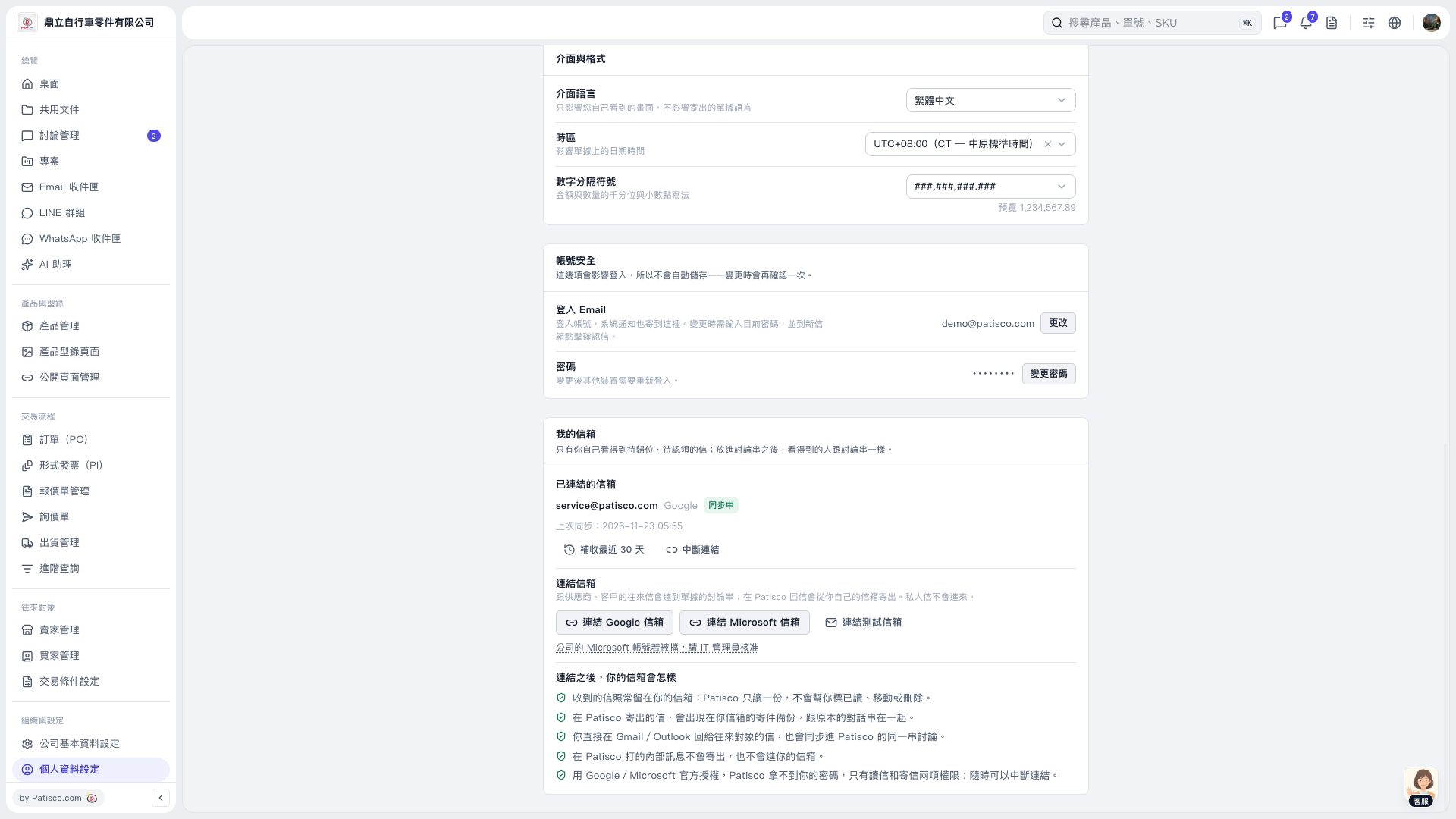
1. Select "Personal Profile Settings" under "Organization & Settings" on the left. 2. Find the "Connect Mailbox" section under "My Mailboxes" and click "Connect Microsoft Mailbox" to start the authorization process. 3. If your company Microsoft account is blocked, ask your IT administrator to use the "If your company Microsoft account is blocked, ask your IT administrator to approve" link below. 4. Once connected, you can view the account, "Sync Status", and "Last Synced" under "Connected Mailboxes". To retrieve recent emails, click "Retrieve Emails from the Last 30 Days".
 V5 新桌面版|個人資料設定