
1. In the “Price Tiers” table on the product details page, view the “MOQ”, “Price”, and “Price Unit” for each category. 2. Turn on “Show Only Categories with Prices” in the upper-right corner of the table to display only categories with prices set. 3. To change the product information or price tiers, click “Edit” in the upper-right corner.
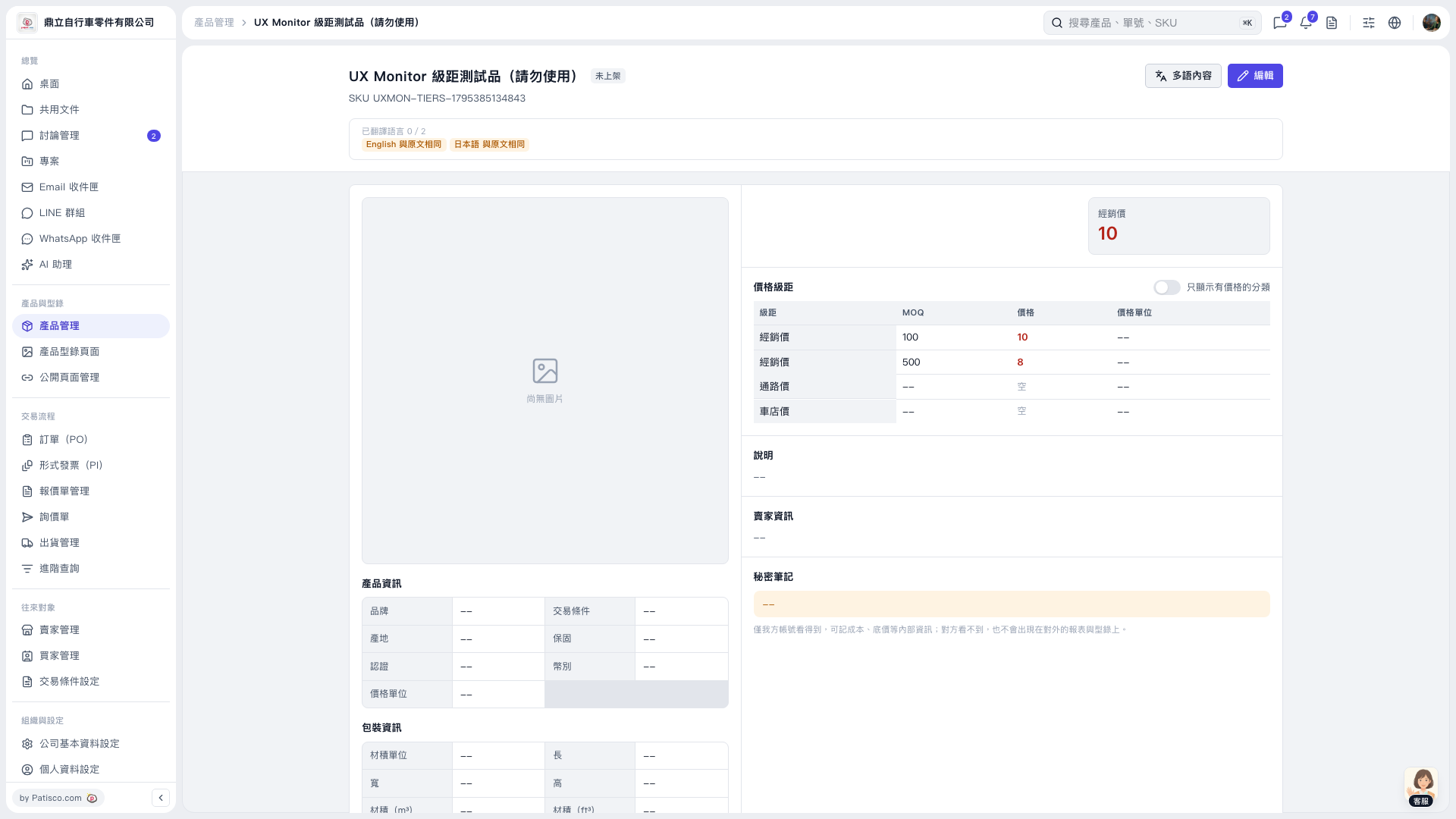 V5 新桌面版|UX Monitor 級距測試品(請勿使用)