
1. Open the Proforma Invoice you want to view and first check the buyer, amount, trading conditions, and payment status at the top. 2. Review "Buyer Information", "Shipping Information", and "General PO Information", and check the related document information in the "Related Documents" field. 3. Go to "Item List" to check the SKU, specifications, unit price, and quantity. To modify the Proforma Invoice details, click "Edit" in the upper-right corner.
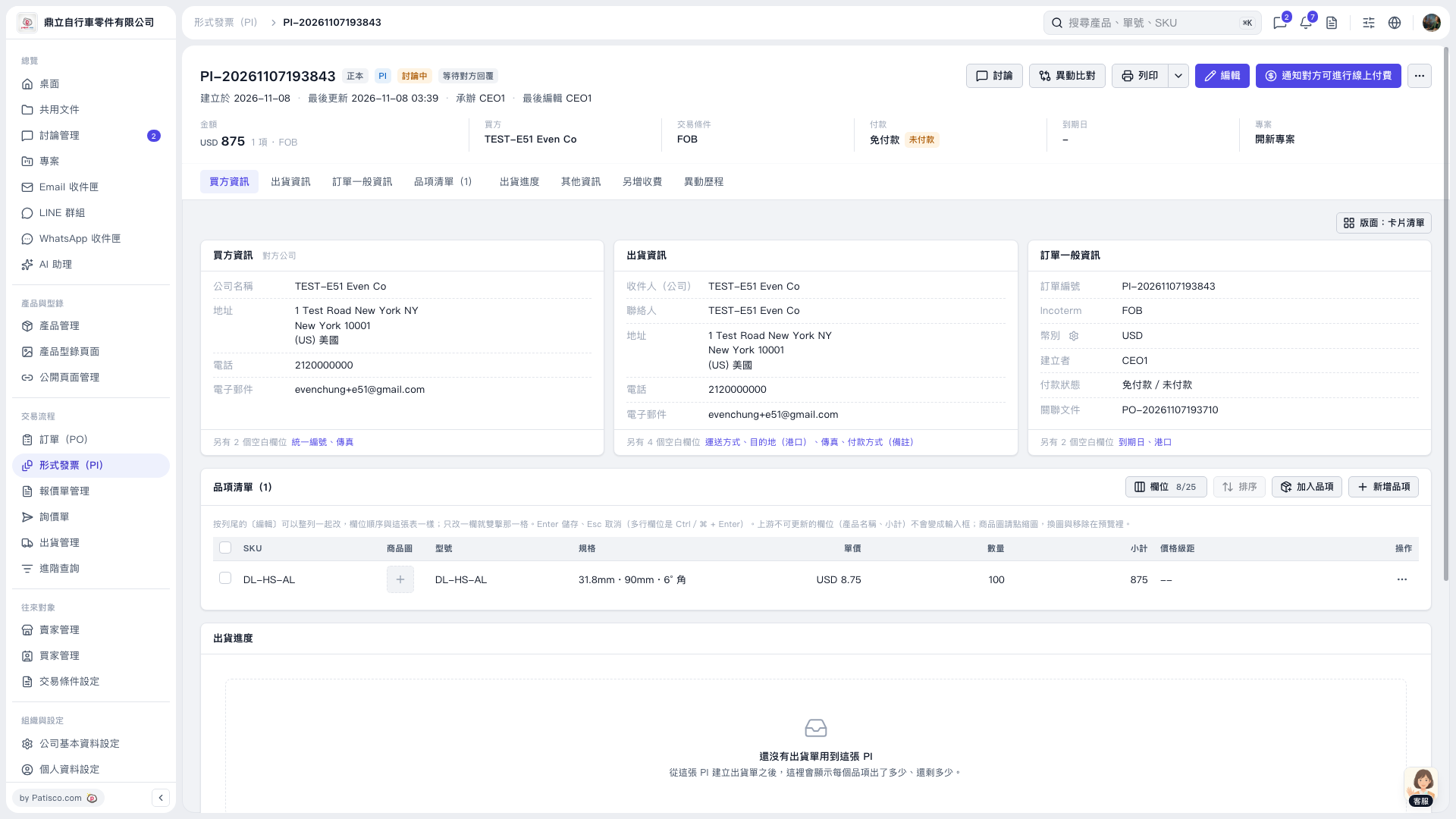 V5 新桌面版|形式發票(PI)詳情:PI–20261107193843