
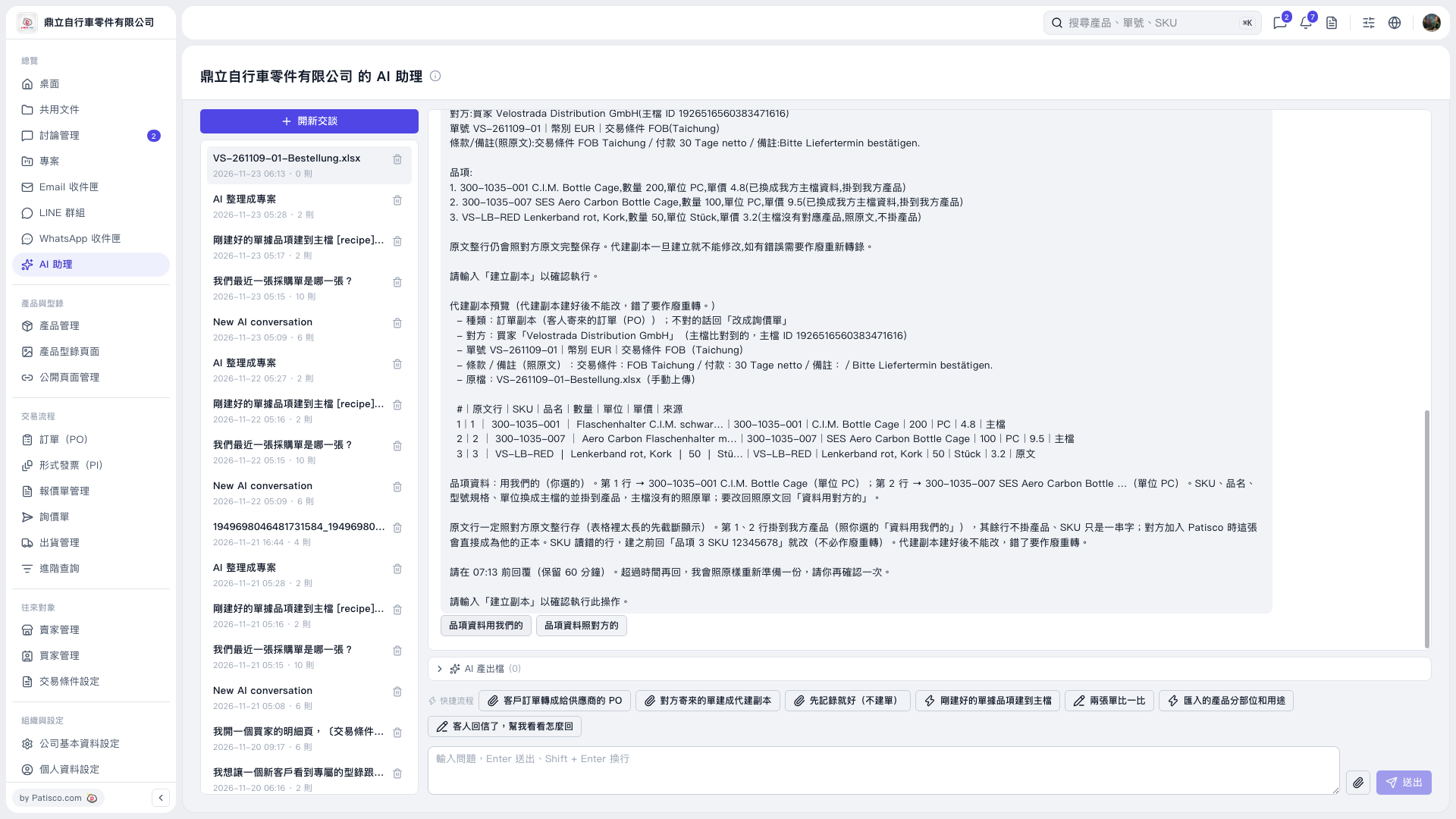
1. Before creating the copy, enter a correction in the message input box using the format “Item + item number + SKU + correct SKU”, then click [Send]. 2. After AI updates the preview, check the other party, document number, currency, trading conditions, and item details again. 3. After confirming that everything is correct, enter “Create copy” within the time limit shown on the screen, then click [Send] or press Enter to proceed. 4. A copy cannot be edited after it is created. If there is an error, void it and import it again.
 V5 新桌面版|鼎立自行車零件有限公司 的 AI 助理