
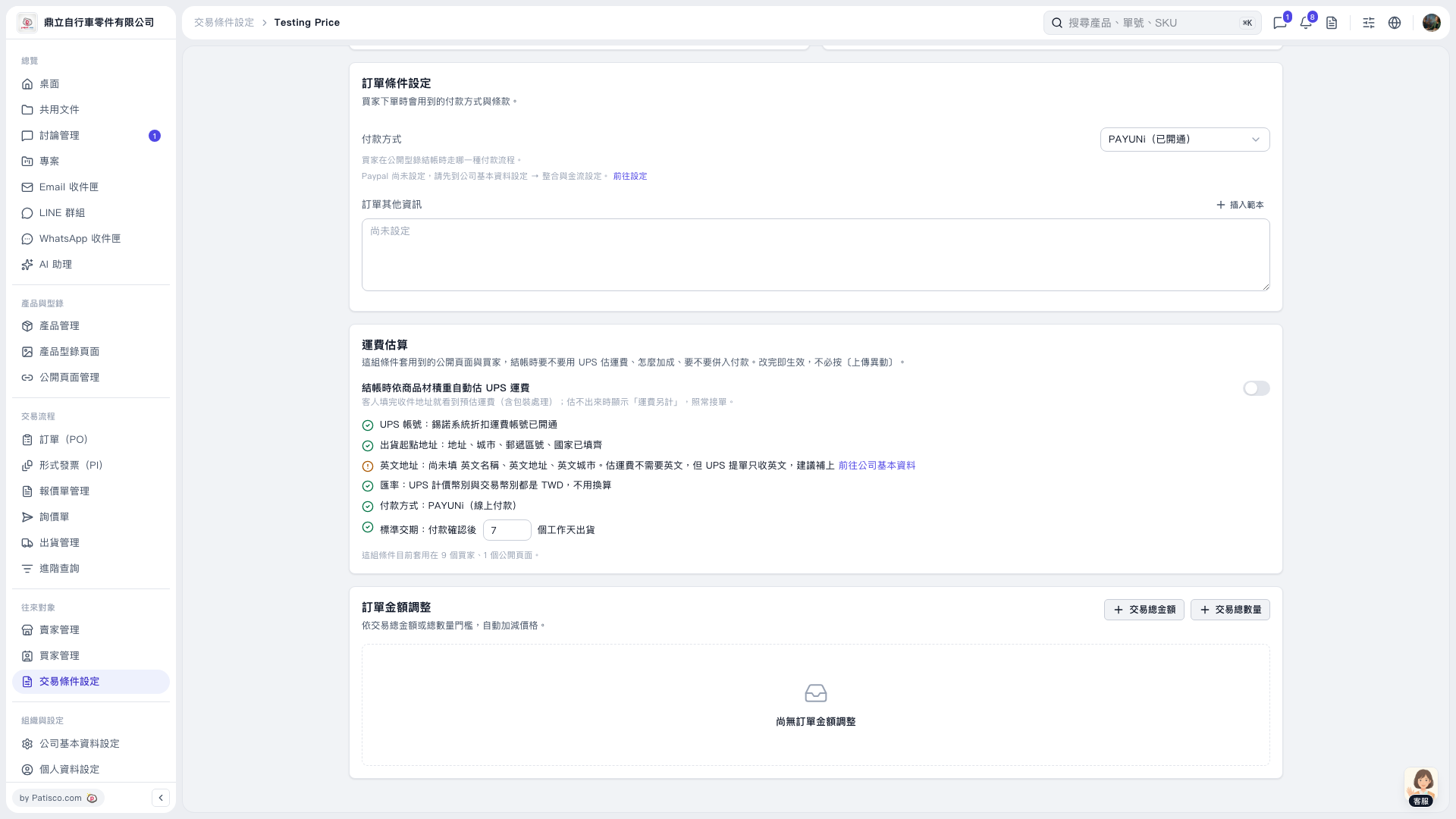
1. On the Trading Condition Setting page, select the payment method buyers will use at checkout from the “Payment Method” drop-down menu. 2. In the “Shipping Cost Estimation” section, review the validation results for the UPS account, shipping origin address, currency, and payment method. 3. If English information is missing, click “Go to Company Profile” and enter the company name, address, and city in English. 4. Enable “Automatically estimate UPS shipping costs at checkout based on product dimensional weight”. UPS shipping costs will be estimated automatically based on product dimensional weight when buyers check out. If an estimate cannot be calculated, “Shipping costs calculated separately” will be displayed. 5. Changes to shipping cost estimation settings take effect immediately. You do not need to click “Upload Changes”.
 V5 新桌面版|Testing Price