
1. Open the Proforma Invoice and check the buyer information, shipping information, currency, and trading terms. 2. Click "Edit" in the upper-right corner to modify the invoice details. 3. In the "Item List", check the specifications, unit prices, and quantities. To add products, click "Add Items" or "Create Item". 4. To add extra charges, click "Add Extra Charge" in the "Extra Charges" section. 5. Click "diff view" to review the changes, then click "Submit" once you have confirmed them.
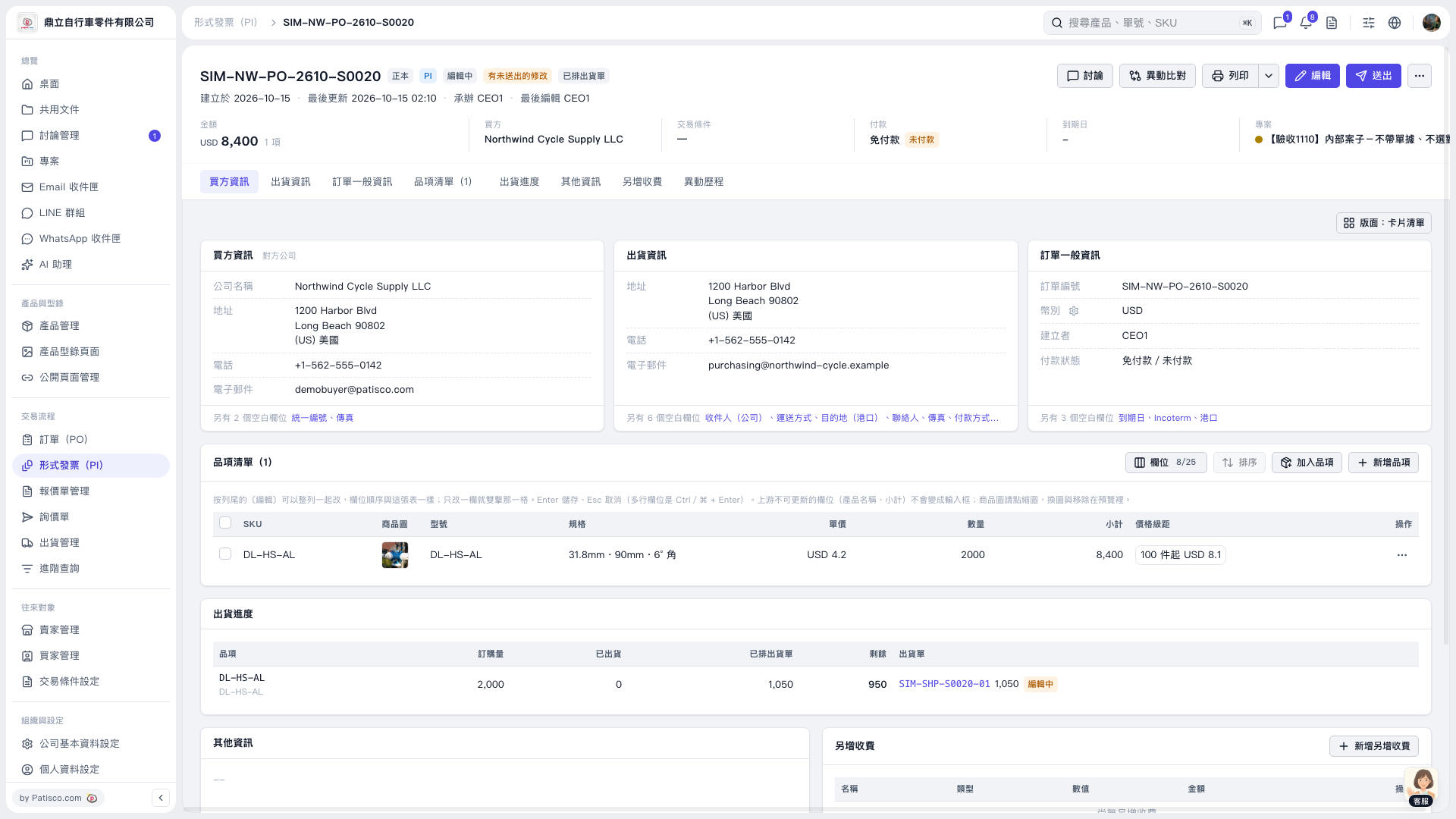 V5 新桌面版|形式發票(PI):SIM-NW-PO-2610-S0020