
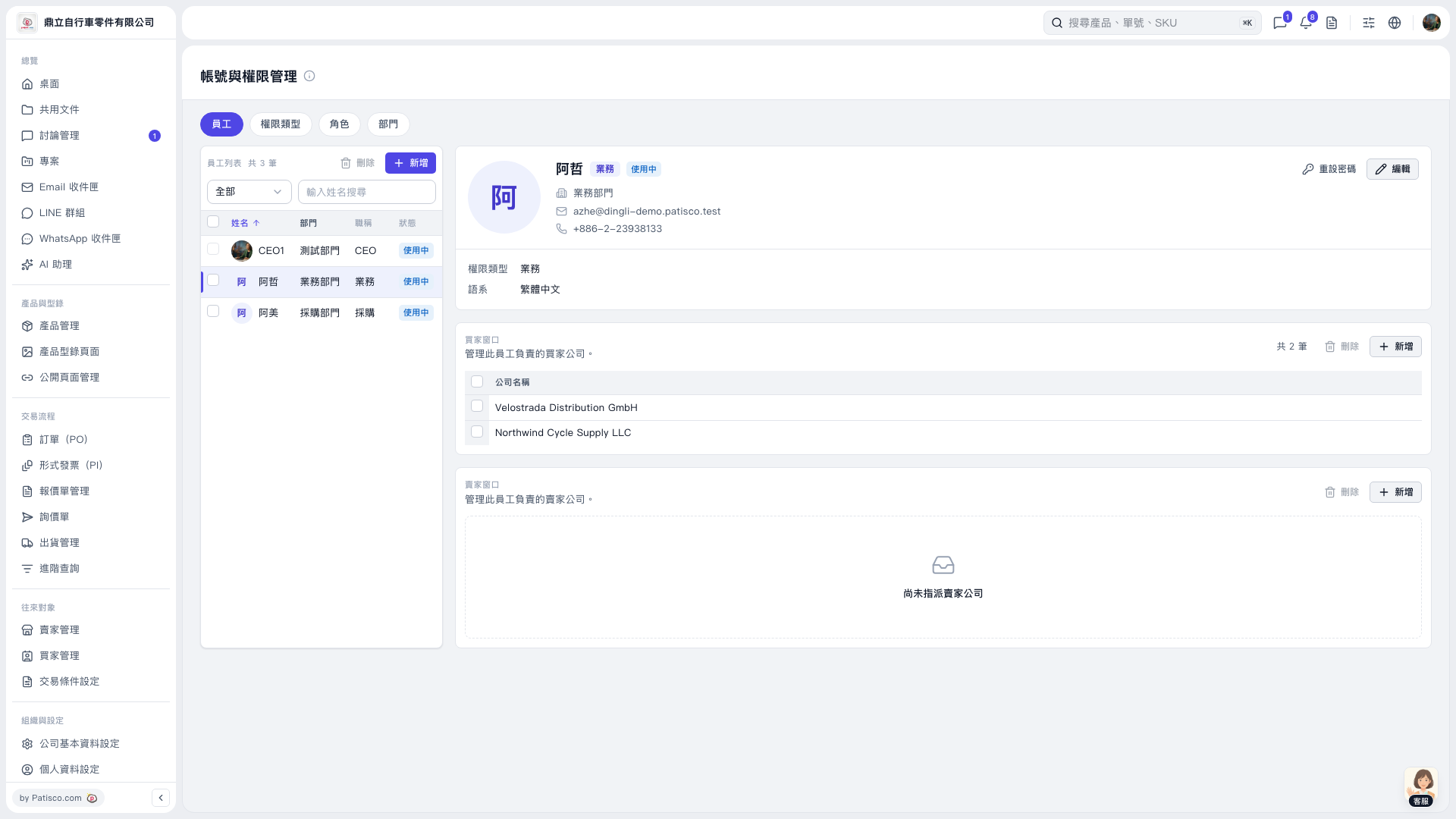
1. On the “Employees” tab in “Account and Permission Management,” find the employee using the “All” filter menu or “Search by Name.” 2. Click the employee’s row to view their account details and company assignments under “Buyer Contact” and “Seller Contact” on the right. 3. Click “Add” in the “Buyer Contact” or “Seller Contact” section to open the company selection list. 4. The list shows “Company Name” and “Invitation Status.” You can select companies, including those with the status “Not Invited.” To close the list, click “Cancel.”
 V5 新桌面版|帳號與權限管理