
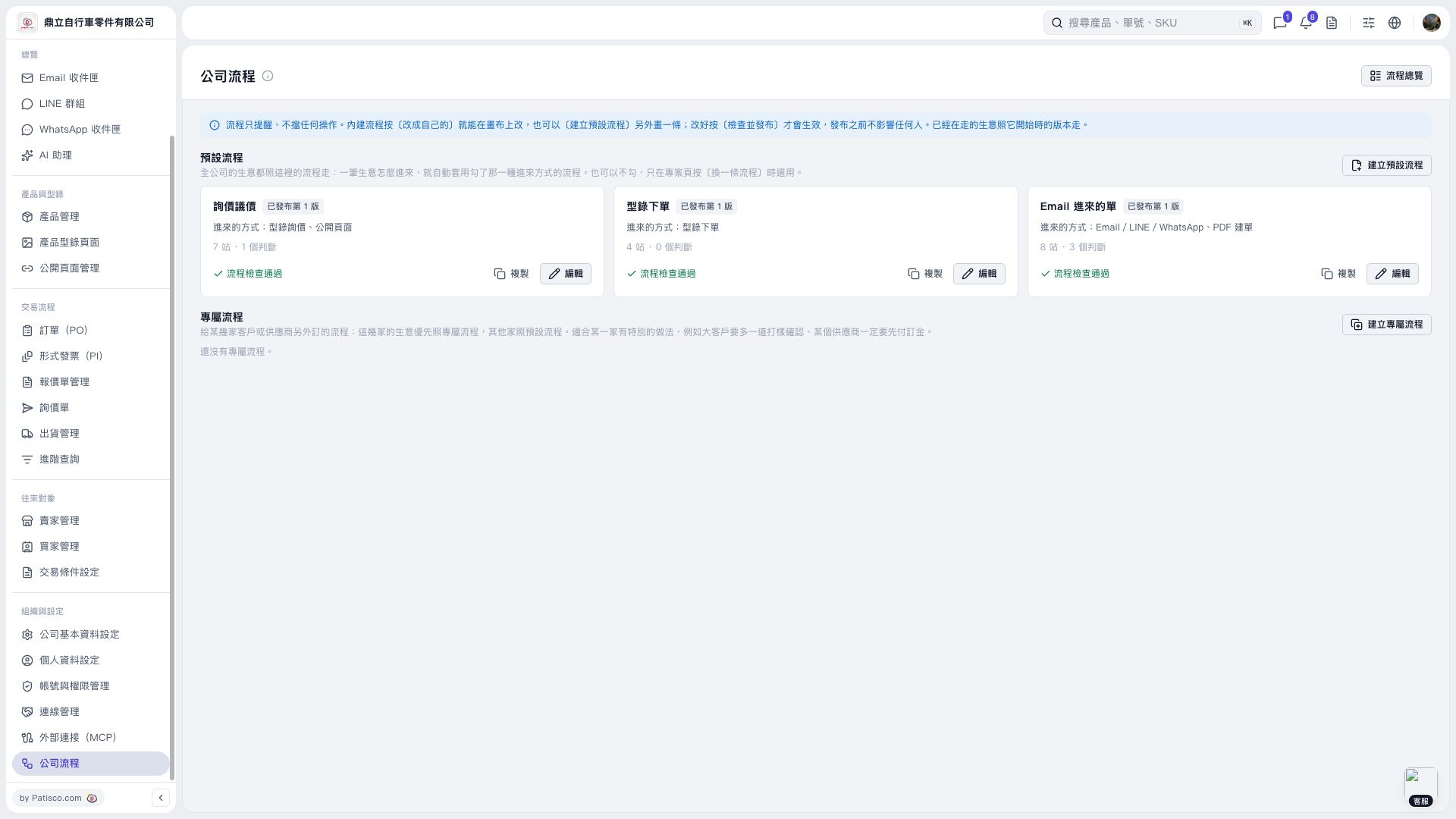
1. Go to [Organization & Settings] > [Company Workflows] in the sidebar. Only the top-level administrator can view this page. 2. In the "Default Workflows" section, view the workflows automatically applied company-wide based on the "Entry Method." To add one, click [Create Default Workflow]. 3. If specific customers or suppliers need a different process, click [Create Dedicated Workflow]. Dedicated workflows take priority for business with these customers or suppliers. 4. To view an overview of company workflows, click [Workflow Overview] in the upper-right corner of the page.
 V5 新桌面版|公司流程