
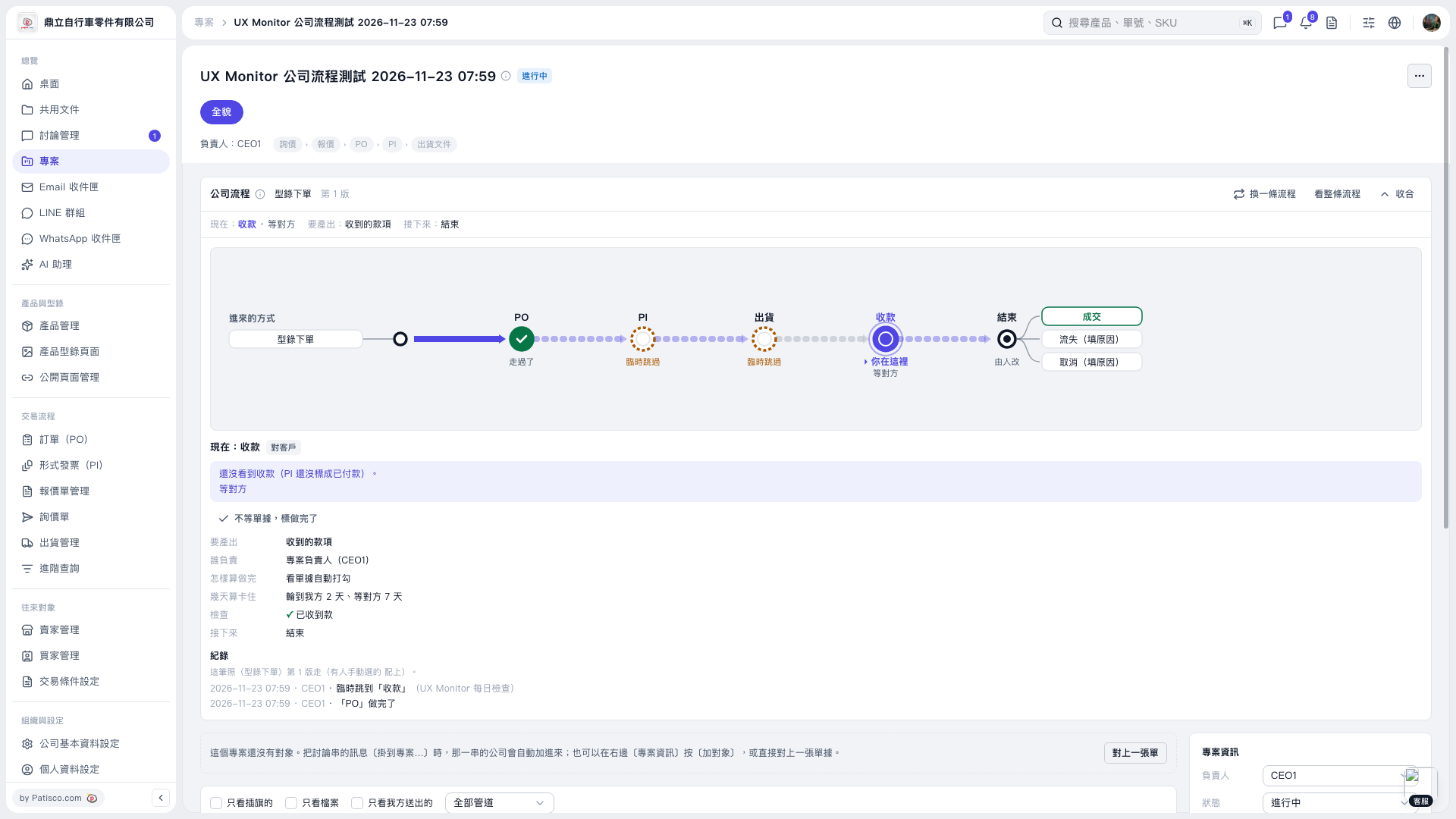
1. Open the project. Under “Company Workflow,” check “Current step,” “What to produce,” “Who is responsible,” “Completion criteria,” and “Next step.” To view the full workflow, click [View full workflow]. 2. To link an existing document, click [Link an existing document]. Whether the step is completed automatically depends on the “Completion criteria.” 3. To manually complete the current step, the project owner or top-level administrator can click [Mark as complete without waiting for a document]. This action only updates the project workflow record and does not modify any documents.
 V5 新桌面版|UX Monitor 公司流程測試 2026–11–23 07:59