
1. To add a workflow for general use, click [Create default workflow] under “Company Workflow.” You can also click [Duplicate] on an existing workflow card to create another workflow. 2. In the workflow editor’s “Entire workflow” settings, select [Default workflow] and check the applicable “Entry methods,” then click [Check and publish]. 3. A workflow with no “Entry methods” selected will not apply automatically. It can only be selected through [Change workflow] on the project page. 4. To set up a workflow for a specific customer or supplier, click [Create dedicated workflow]. Transactions involving that customer or supplier will use the dedicated workflow first.
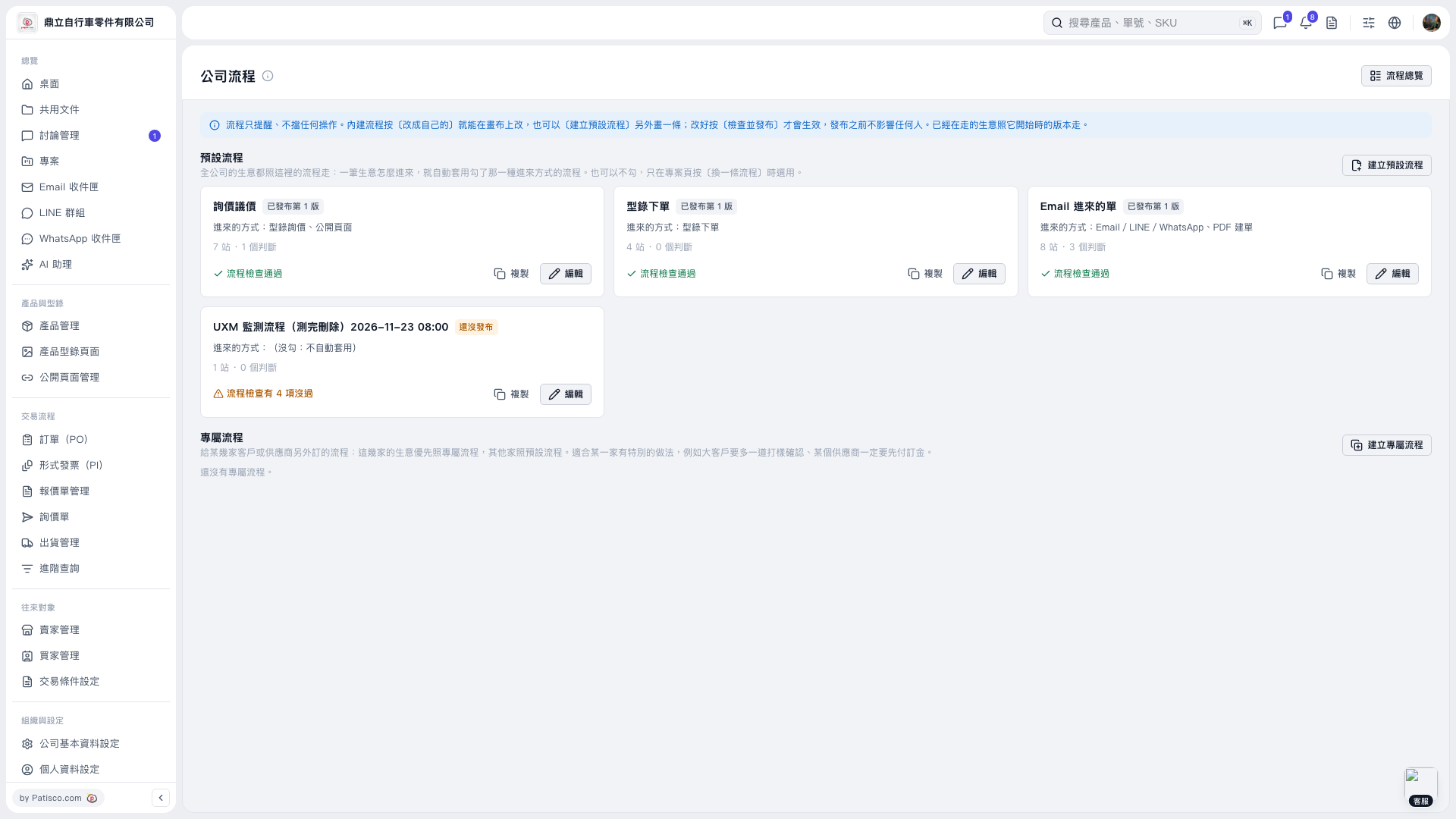 V5 新桌面版|公司流程