
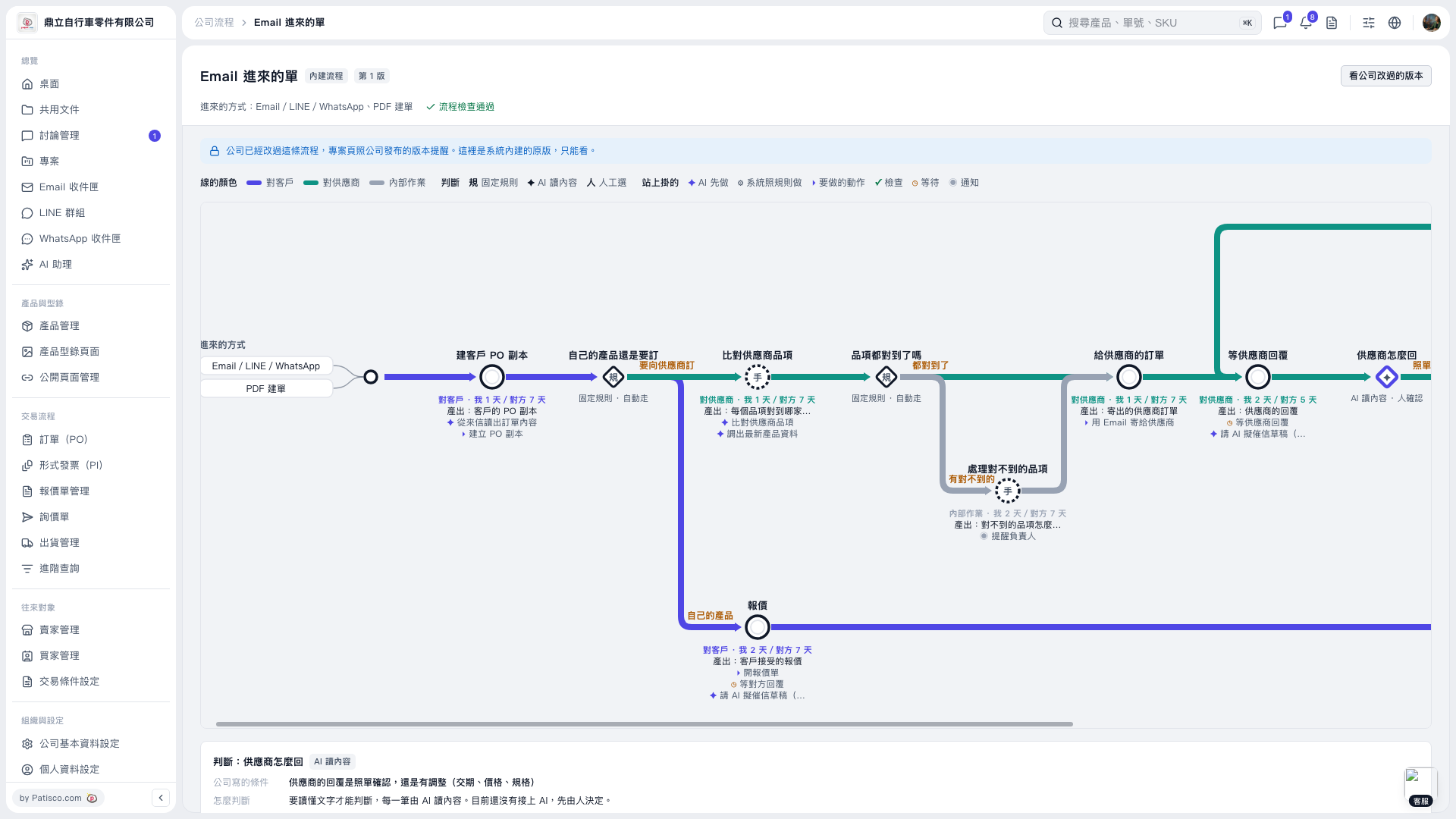
1. Open "Orders Received by Email." Start with the entry method on the left and follow the arrows through the workflow. Refer to the legend above to identify what the lines and nodes mean. 2. Click the workflow node you want to learn about, then read descriptions such as "Company-Defined Conditions" and "How It Is Evaluated" below. 3. Use the horizontal scrollbar at the bottom of the workflow diagram to scroll left and right and view other parts of the workflow. 4. To view the workflow modified and published by your company, click "View the Company's Modified Version" in the upper-right corner.
 V5 新桌面版|Email 進來的單