
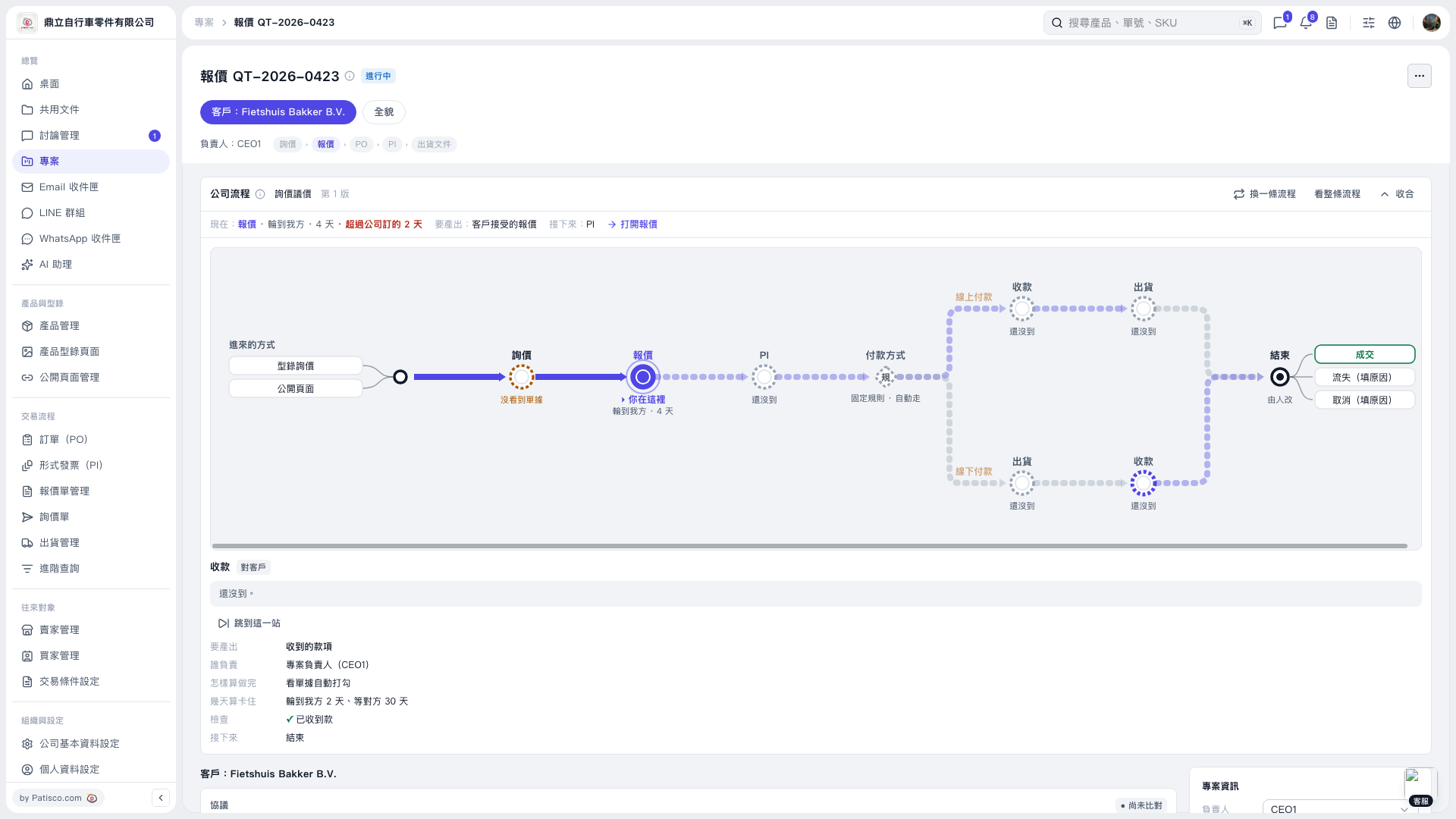
1. Find [Company Workflow] below the project page header. Check "Now," "Required Output," and "Next" to confirm the current stage, what needs to be produced, and the next stage. You can also check the waiting time and whether it exceeds the deadline set by your company. 2. Find the node marked "You Are Here" in the workflow diagram to check the current progress. Click other workflow nodes to view details for each stage, such as "Who Is Responsible," "What Counts as Complete," and "Days Until Stalled." 3. If the current stage is quotation, click [Open Quotation] to view its contents. 4. To view the complete workflow, click [View Entire Workflow] in the upper right. The workflow bar provides progress reminders and does not block any actions.
 V5 新桌面版|報價 QT–2026–0423