
1. Return to the relevant Proforma Invoice copy and check the amount, seller, shipping information, and item details. 2. Click [Pay online] in the upper-right corner. The system opens the payment page in a new tab. 3. On the payment page, click [Proceed to payment] and follow the instructions on the subsequent screens to complete payment. 4. Return to the Proforma Invoice copy and click [Re-check payment status] to check the payment status again. If “Payment not completed” appears, the payment is still incomplete. Click [Pay online] again to continue payment.
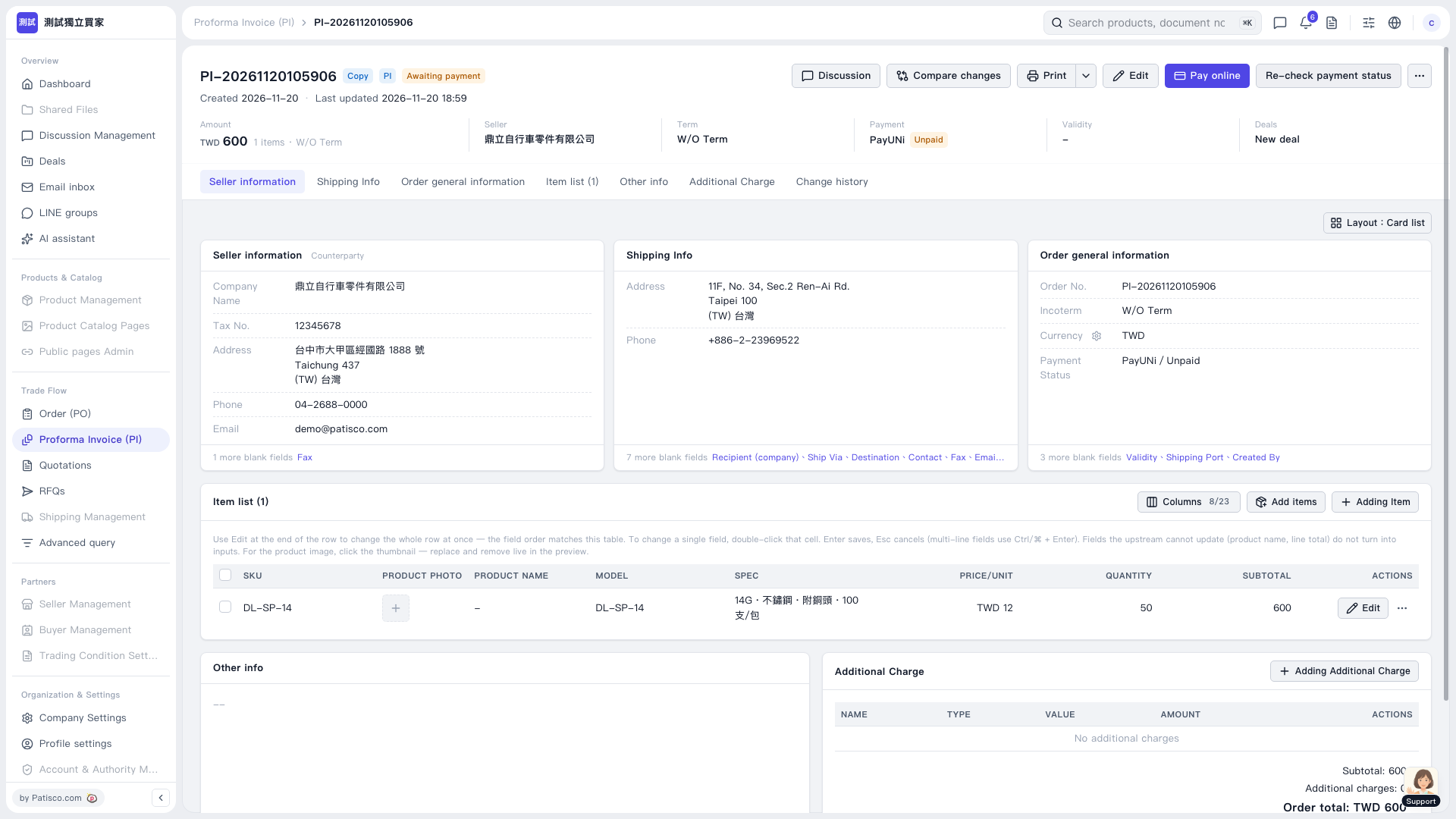 V5 新桌面版|形式發票詳情:PI–20261120105906