
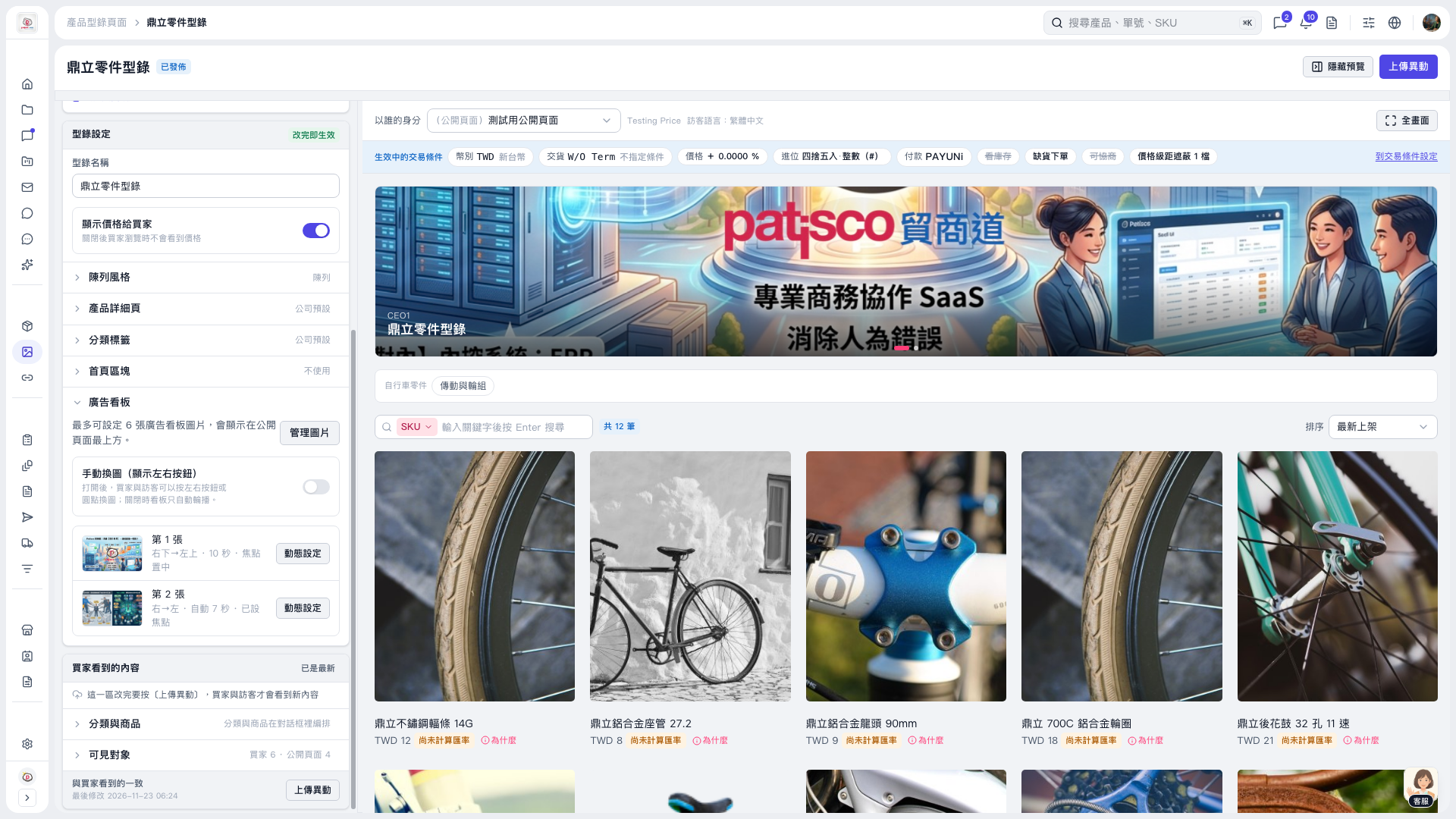
1. Expand "Banner" under "Catalog layout" on the left. 2. Click "Manage Images" to manage the banner images at the top of the public page. You can set up to 6 images. 3. Click "Animation Settings" to the right of each image to adjust "Slideshow Direction", "Display Duration (Seconds)", and "Focal Position". 4. Check the effects in the preview on the right. You can also click "Full Screen" to inspect them. 5. When you finish making changes, click "Upload Changes" so buyers and visitors can see the updated content.
 V5 新桌面版|鼎立零件型錄