
1. Select [Dashboard] on the left, then switch to [Data Analytics]. 2. Check the [Documents to Process] section. Identify pending tasks under [Past Due] or [Needs Synchronization], and check the document number, trading company, due date, and status. 3. Use [List/Timeline] to switch the display, or click [Refresh] to update the data. 4. To view the complete PO list, click [All POs] in the [Recently Updated POs] section.
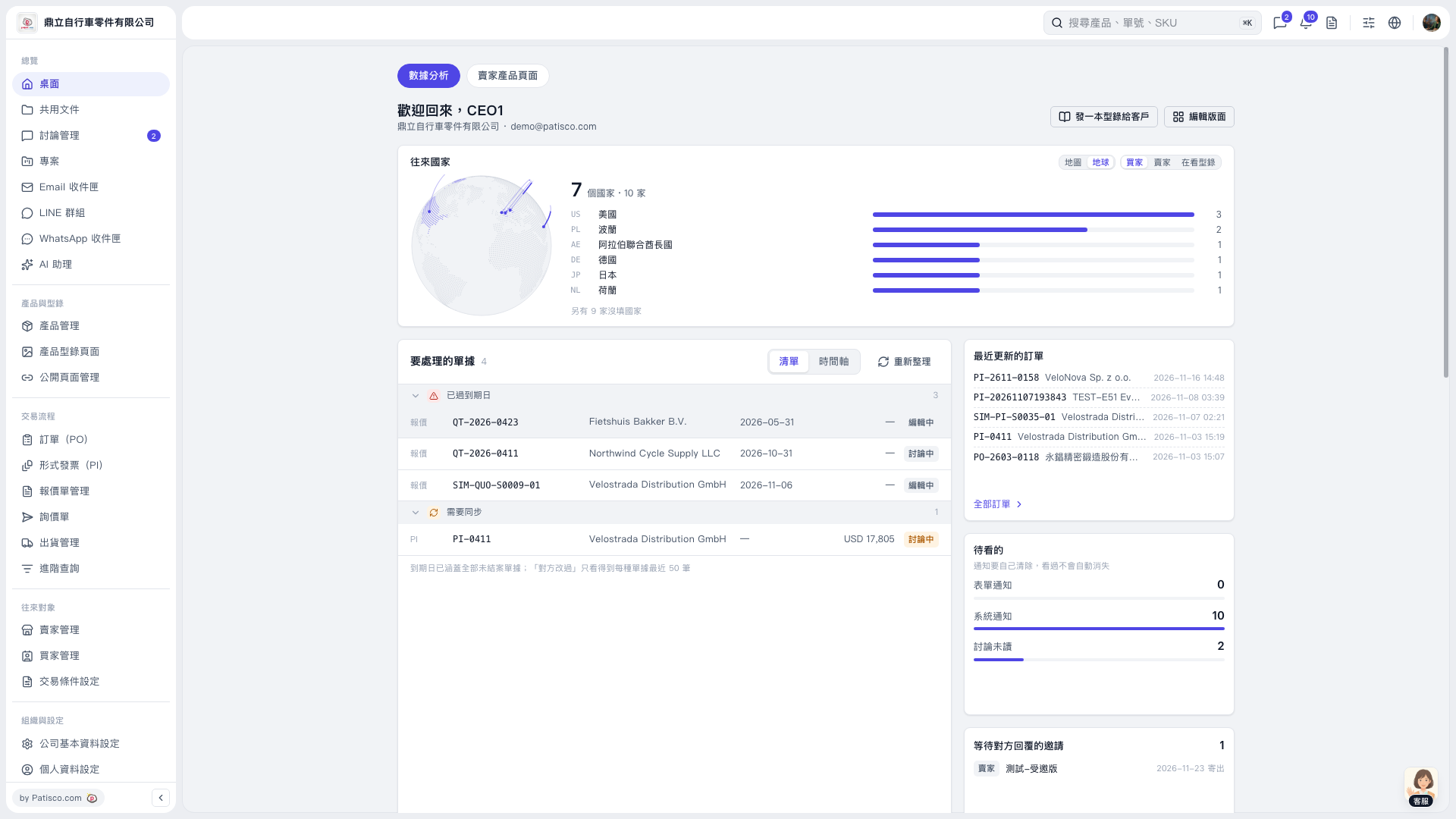 V5 新桌面版|桌面-數據分析