
1. On the packing list page, confirm the buyer and the shipment number. 2. Use the section navigation on the left to check "Shipping Information", "Receiving Information", "Related PI Orders" and "Shipment Items". 3. To make changes, click "Edit" at the top right. To view the report, click "Report". 4. Once the shipment data is confirmed correct, click "Shipment Completed" at the top right to mark this shipment as completed.
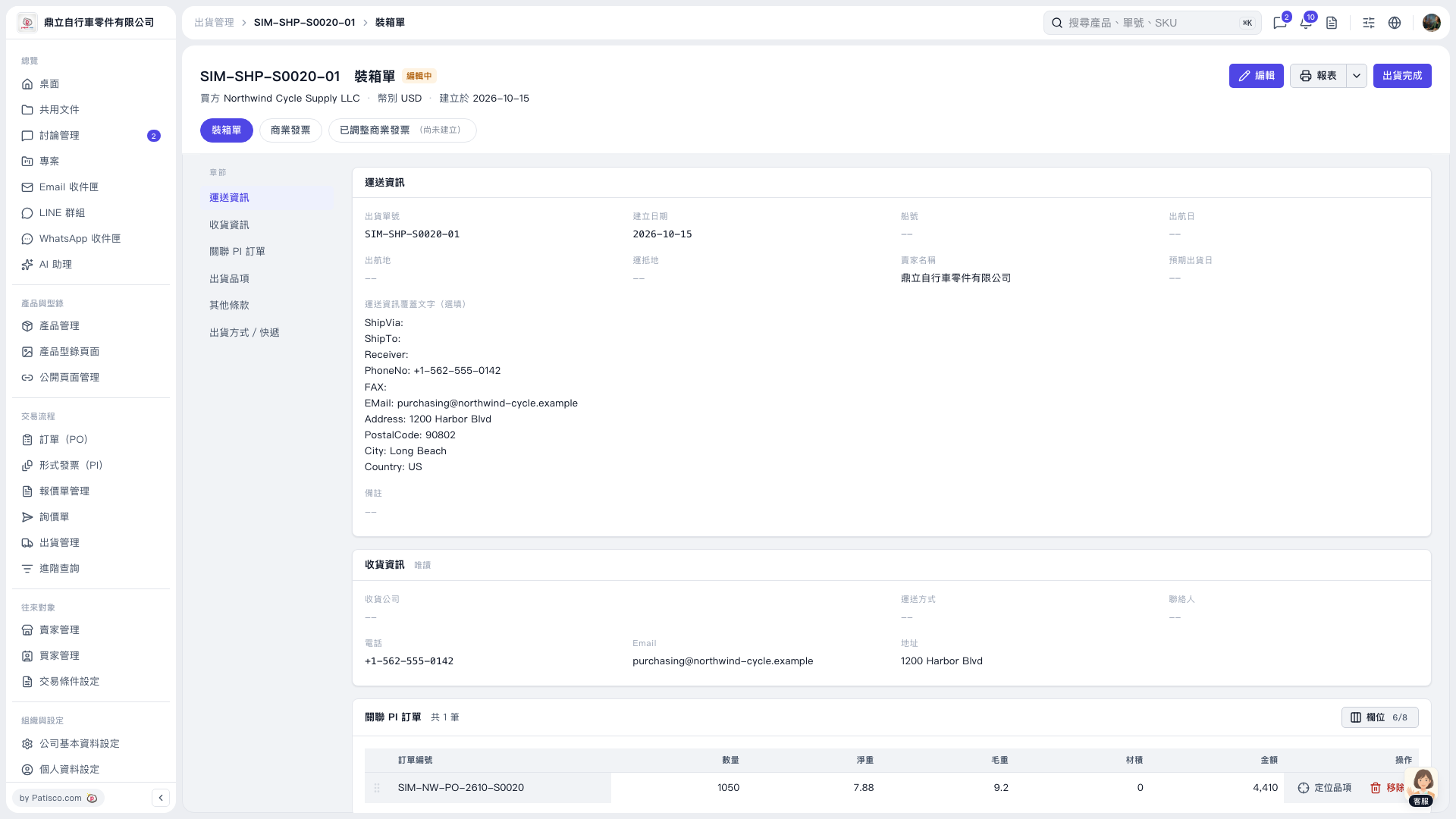 V5 新桌面版|SIM-SHP-S0020-01 裝箱單