
1. In the discussion list on the left, select the incoming email thread you want to handle. 2. Read the email in the center. If you need to verify any information, click [View original email] or open the email attachment. 3. Click the [This is a new document] dropdown button below that email to open the menu for creating a document.
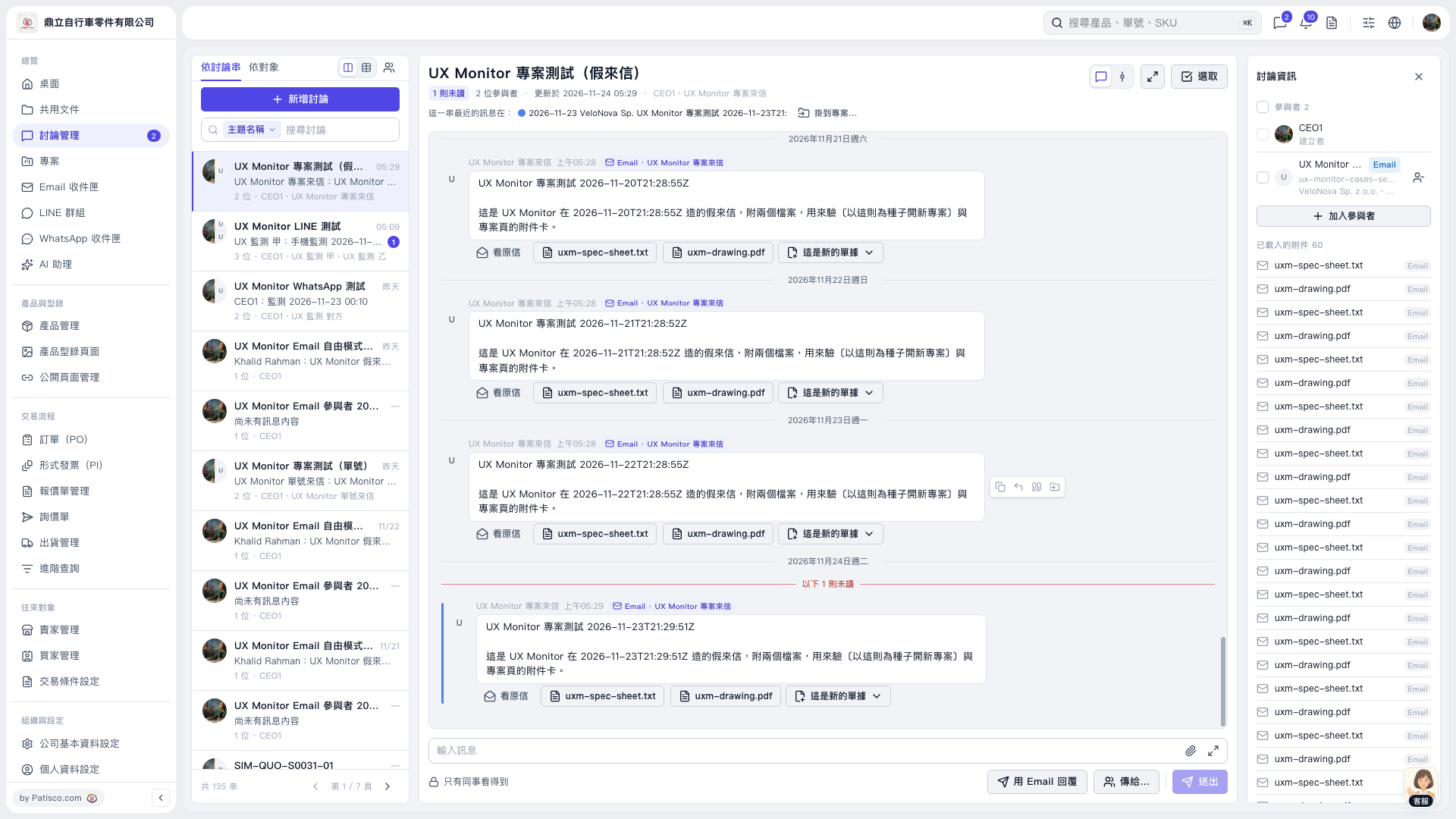 V5 新桌面版|UX Monitor 專案測試(假來信)