
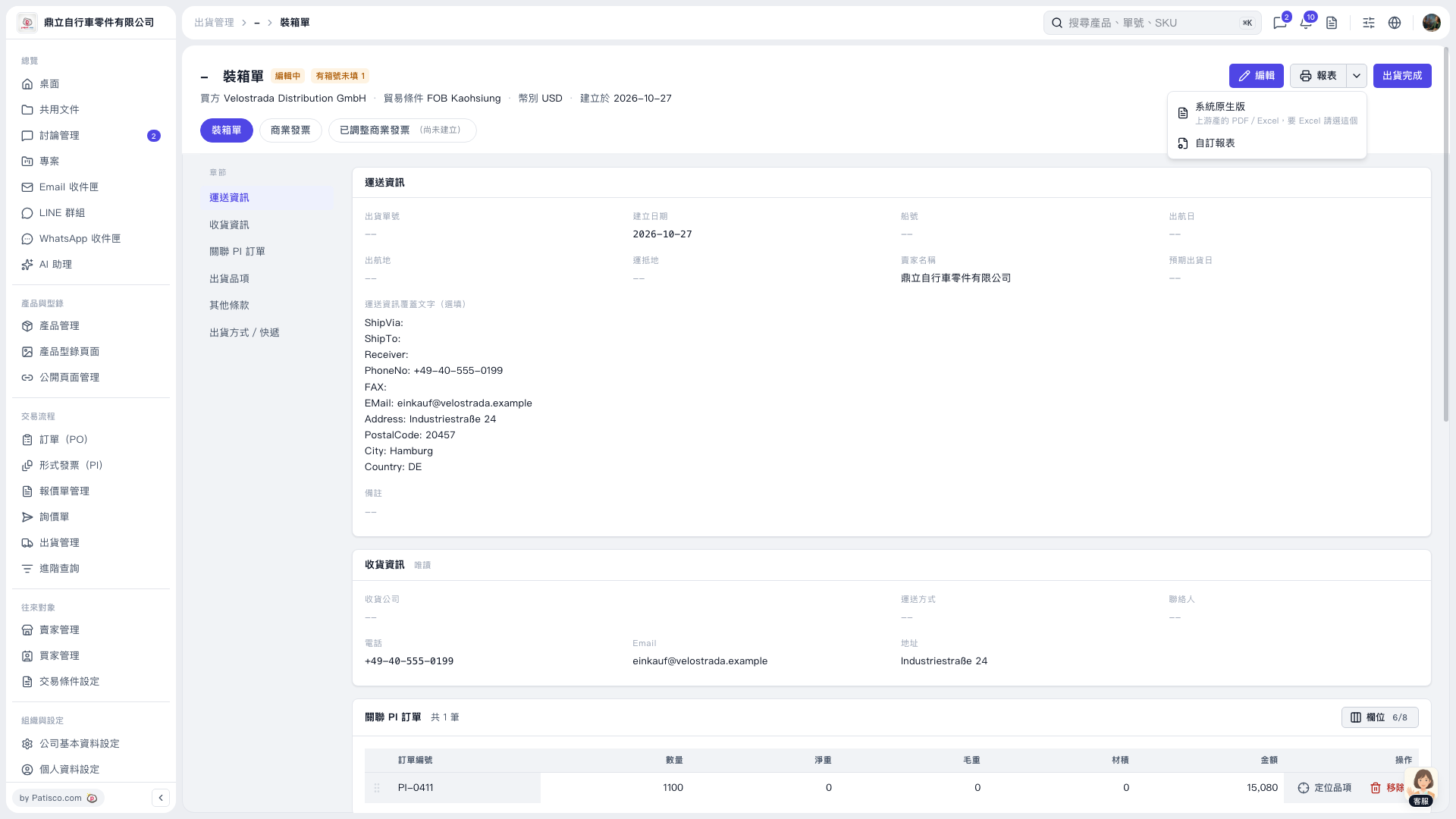
1. On the "Packing list" tab, first check the buyer, shipping information, and the related PI order. If you need to make changes, click "Edit" at the top right. 2. Click the dropdown arrow next to "Report" at the top right. 3. Choose "System native version" or "Custom report" as needed. If you need Excel, choose "System native version". 4. After entering the report, print or export using the options shown on the screen.
 V5 新桌面版|裝箱單