
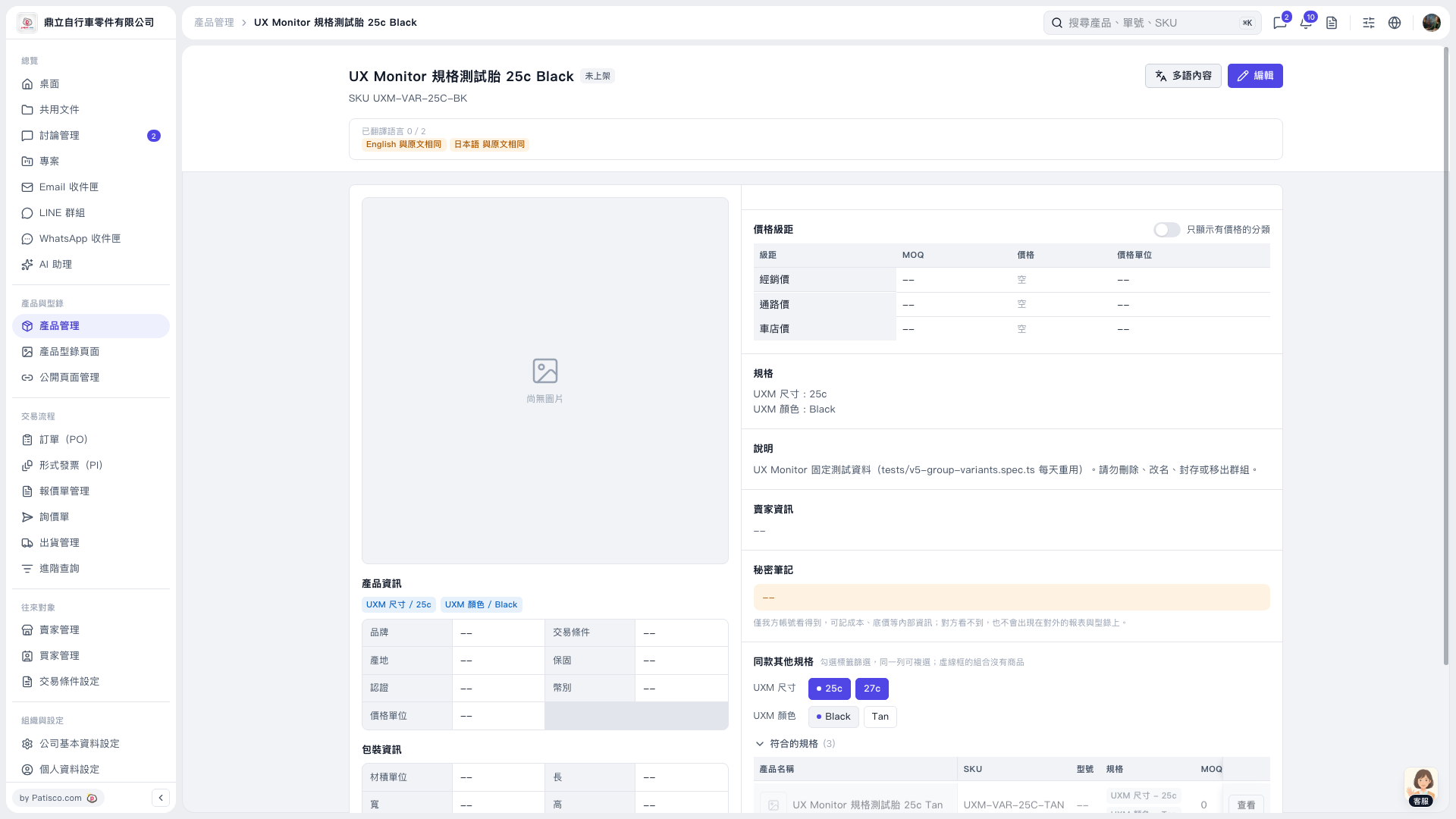
1. Scroll down the product detail page to find the "Other variants of this product" section. 2. Check the variant options you want to find. You can select multiple options in the same row, and products matching any of those options are listed; conditions in different rows must all be met at the same time. 3. To remove a filter condition, click the checked option again to deselect it. 4. Click "Matching variants" to expand or collapse the product list and see the products that match your conditions. 5. Click "View" on the right of a product row to open the detail page of that variant.
 V5 新桌面版|UX Monitor 規格測試胎 25c Black