
1. In "Email Inbox", above the email list on the left, select "To file" or "To claim". 2. Click the email you want to handle, and check the subject, sender, recipients and body on the right. 3. Check the "Basis for suggestion" in the "Where to put it" section, then, depending on the email's content, select "This is a new document", "Move to..." or "Start a new discussion" to proceed to the corresponding process.
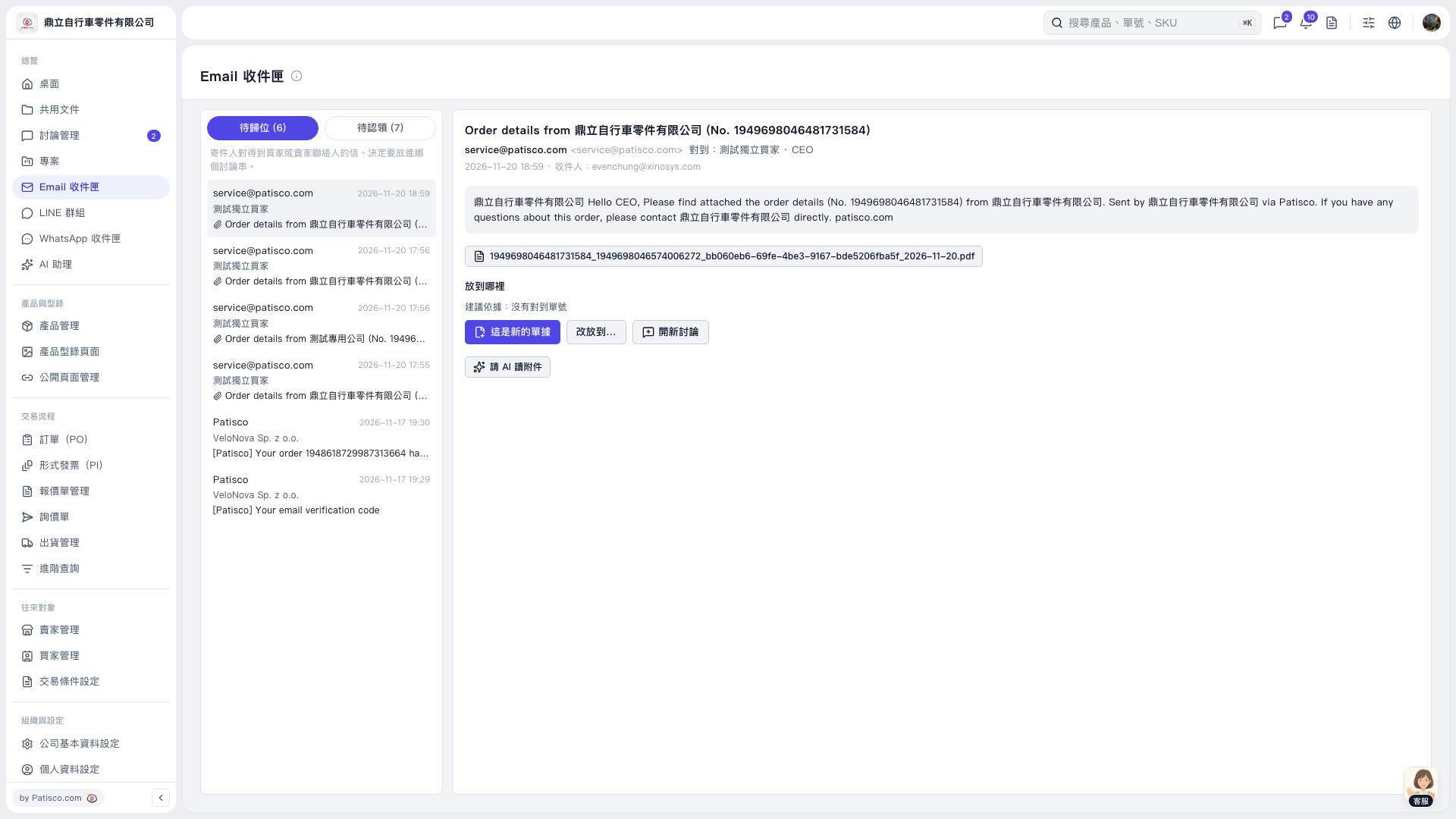 V5 新桌面版|Email 收件匣