
1. Click the email you want to handle in the list on the left, and check the sender information on the right. 2. If you recognize the sender, click "This person is from [company]" to set the company assignment. 3. If you want to ignore the sender, click "Ignore this sender" or "Ignore entire domain", as needed. 4. Note the date on which the email will disappear automatically, and handle it before the deadline shown on the screen.
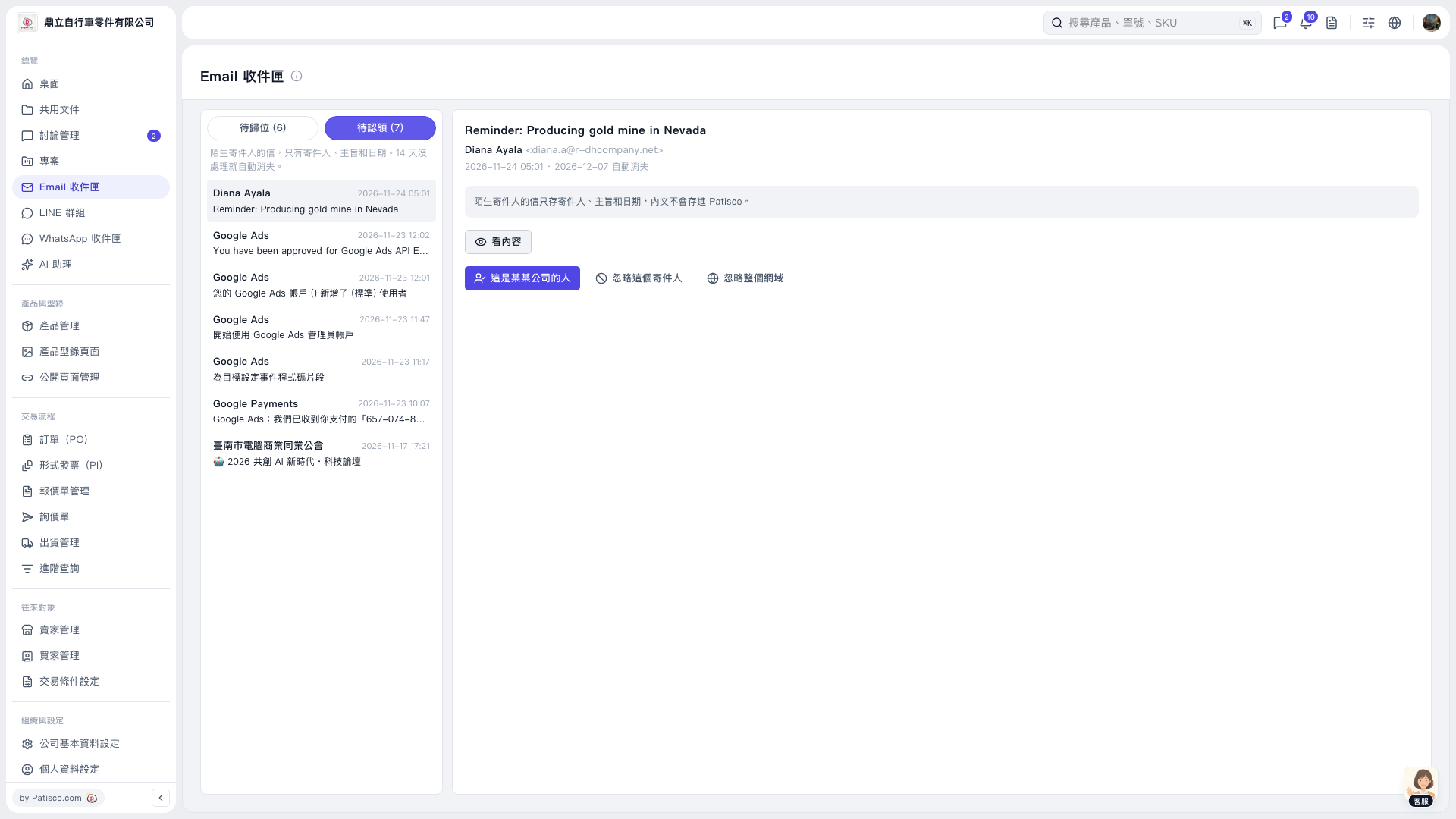 V5 新桌面版|Email 收件匣