
1. In the "My Mailbox" section of "Profile Settings", find "Connect mailbox" and click "Connect Microsoft mailbox" to authorize your Microsoft account. 2. If authorization is blocked for your company account, click "If your company's Microsoft account is blocked, ask your IT administrator to approve" below the button, and ask your IT administrator to approve it by following the instructions. 3. After authorization is complete, check the connected mailbox and "Sync status" in "Connected mailboxes". If you need to fetch recent emails, click "Fetch last 30 days".
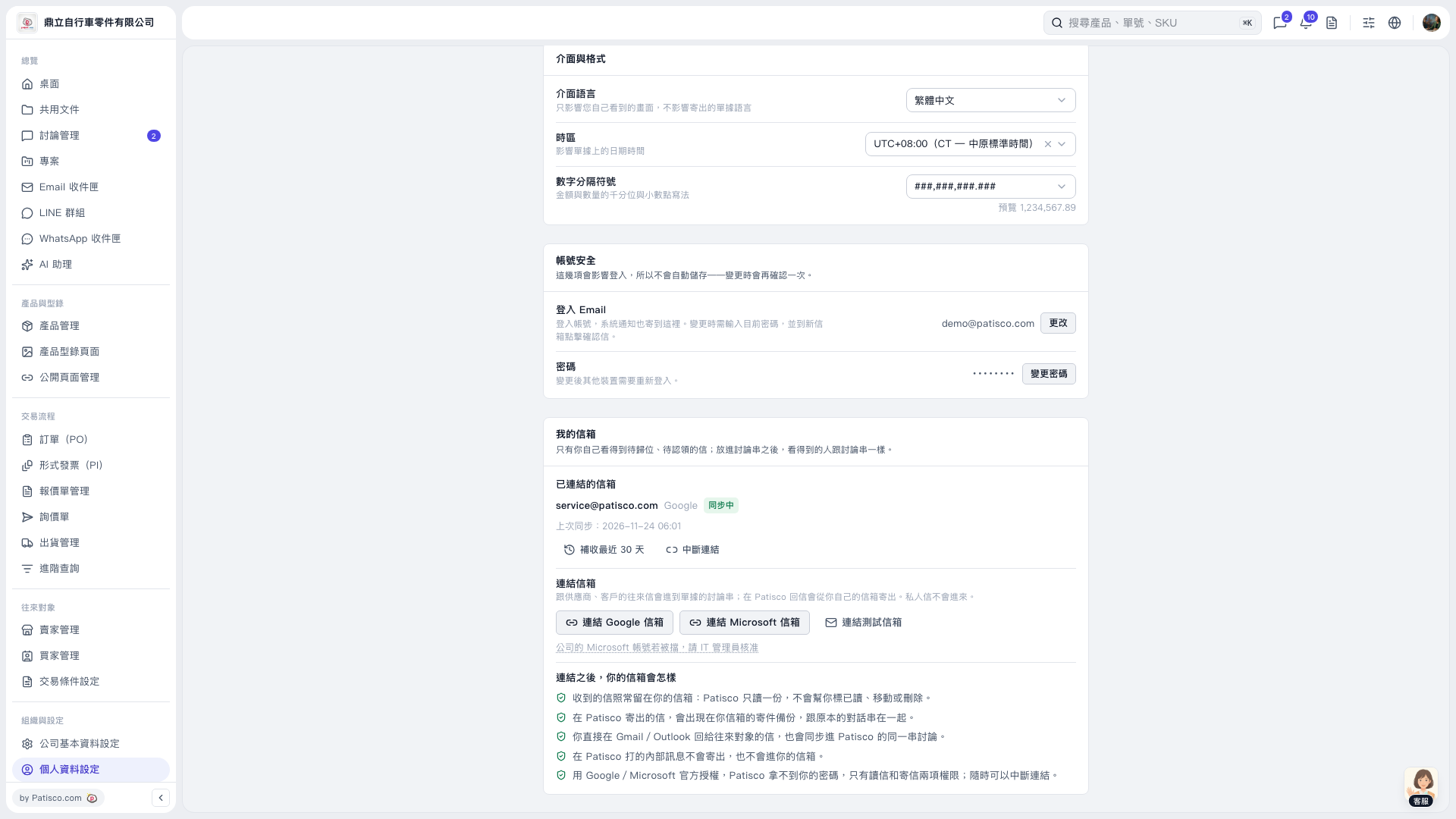 V5 新桌面版|個人資料設定