
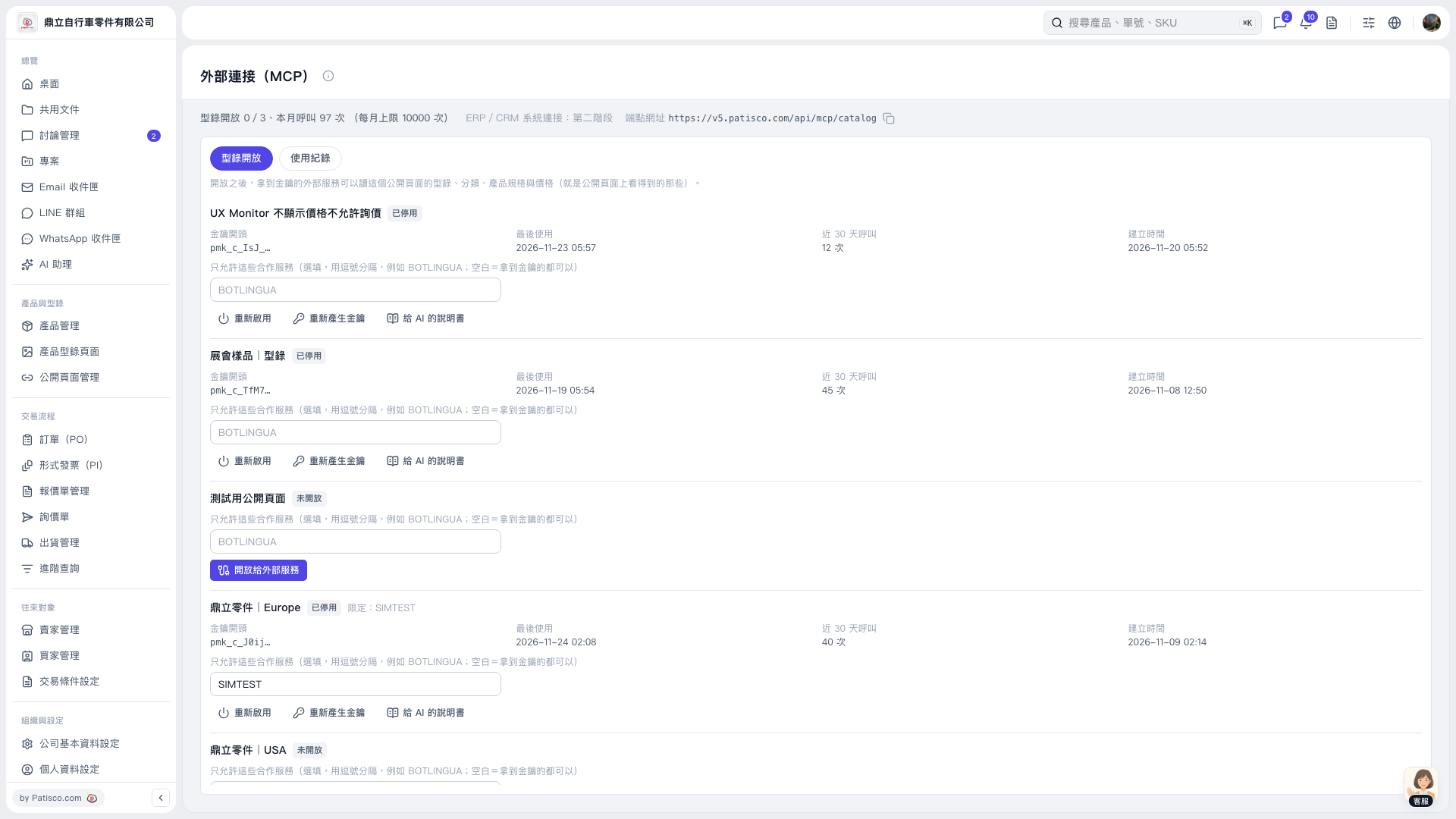
1. On the "External Connections (MCP)" page, click "Catalog Sharing" and find the catalog you want to open up. 2. To limit which partner services can use it, enter service names in the "Only allow these partner services (optional, separated by commas; leave blank to allow any service that has the key)" field, separating multiple names with commas. If left blank, any service that has the key can use it. 3. For a catalog that is not yet shared, click "Share with external services"; for a disabled catalog, click "Re-enable". 4. Click the copy icon to the right of "Endpoint URL" at the top of the page to get the connection endpoint URL. The action row of a disabled catalog also has "Instructions for AI", where you can view the connection instructions.
 V5 新桌面版|外部連接(MCP)