
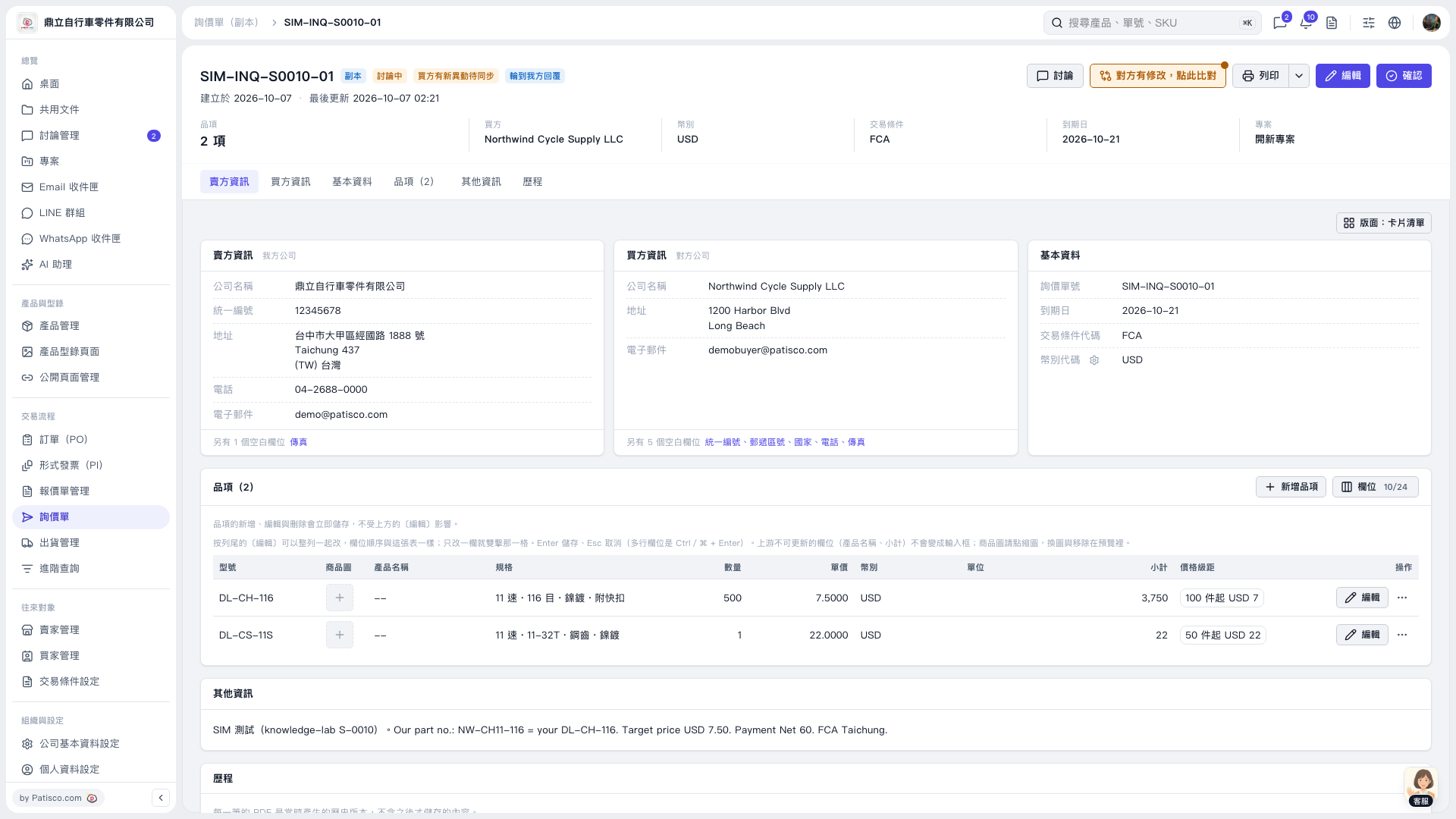
1. When you see the prompts "Buyer has new changes to sync" and "Your turn to reply", click "The other party made changes, click to compare" at the top right to see what the buyer modified. 2. Check the buyer and seller information, expiration date, trading conditions and currency; if anything needs adjusting, click "Edit" at the top right. 3. If you need to clarify the deal details, click "Discussion" to communicate. 4. After checking the content, click "Confirm" at the top right.
 V5 新桌面版|SIM–INQ–S0010–01