
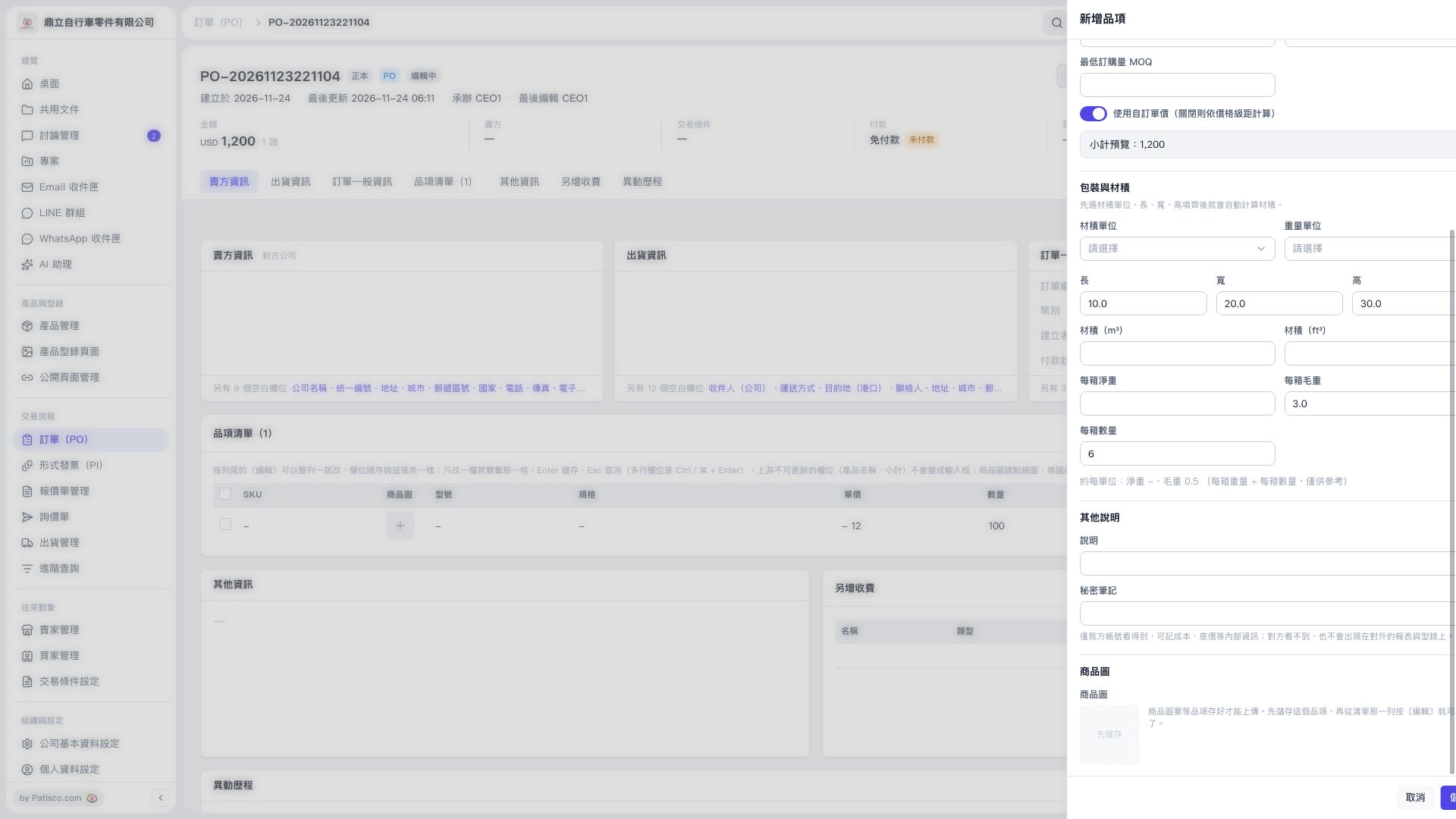
1. In the "Packaging & Volume" section of the "Add Item" panel, select the "Volume Unit" and "Weight Unit". 2. Enter "Length", "Width" and "Height". The system calculates the volume automatically, and you can view "Volume (m³)" and "Volume (ft³)". 3. Fill in "Net Weight per Carton", "Gross Weight per Carton" and "Quantity per Carton". 4. Add a "Description" and "Secret Note" if needed. The "Secret Note" is visible only to our own account.
 V5 新桌面版|訂單 PO-20261123221104(新增品項)