
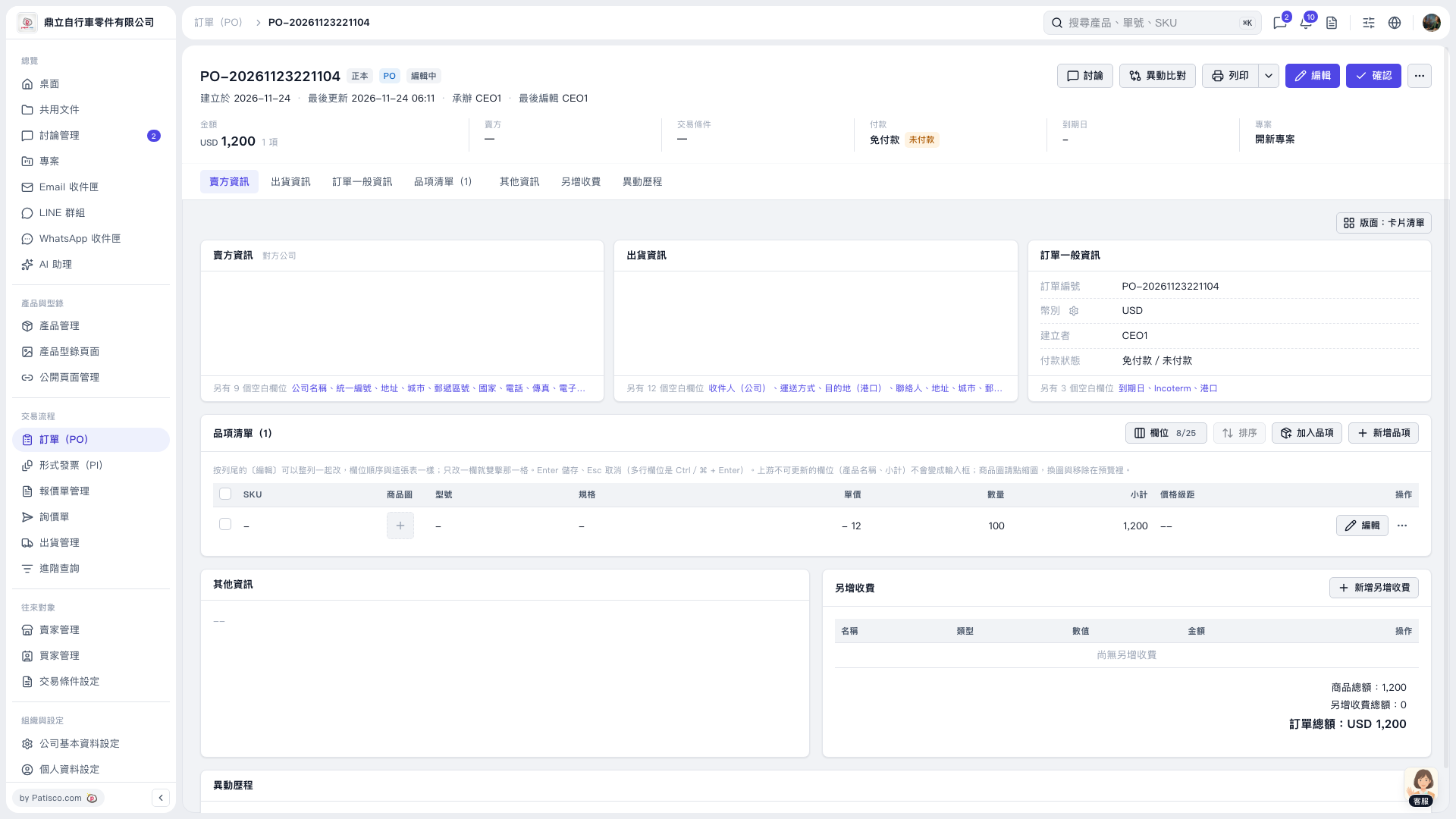
1. On the PO details page, first check the seller information, shipping information, item quantities, subtotals and PO total. If anything needs to be changed, click [Edit] at the top right or in the item row. 2. Click [Print] at the top right to start the print flow. Click the dropdown arrow next to it to see the related options. 3. After the print preview opens, check that the PO content, trading currency, amounts and layout are correct.
 V5 新桌面版|訂單詳情:PO-20261123221104