
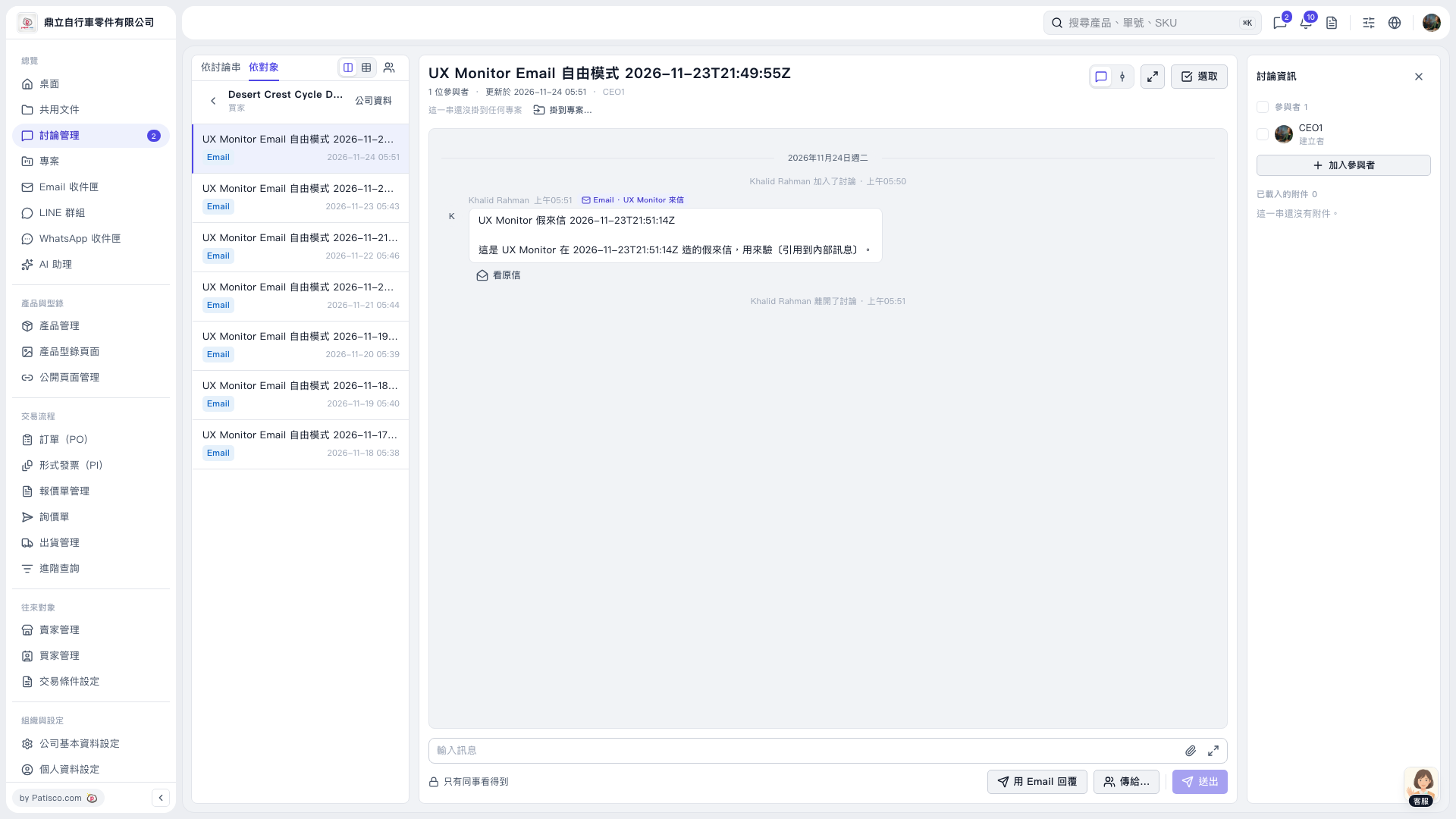
1. In "Discussion Management", select "By Contact" above the discussion list and confirm which buyer you want to view. 2. Click a discussion thread in the left list, and the message content is shown in the center. 3. To view the original email, click "View Original" below the message. 4. To view this buyer's company profile, click "Company Profile" to the right of the contact name.
 V5 新桌面版|討論管理