
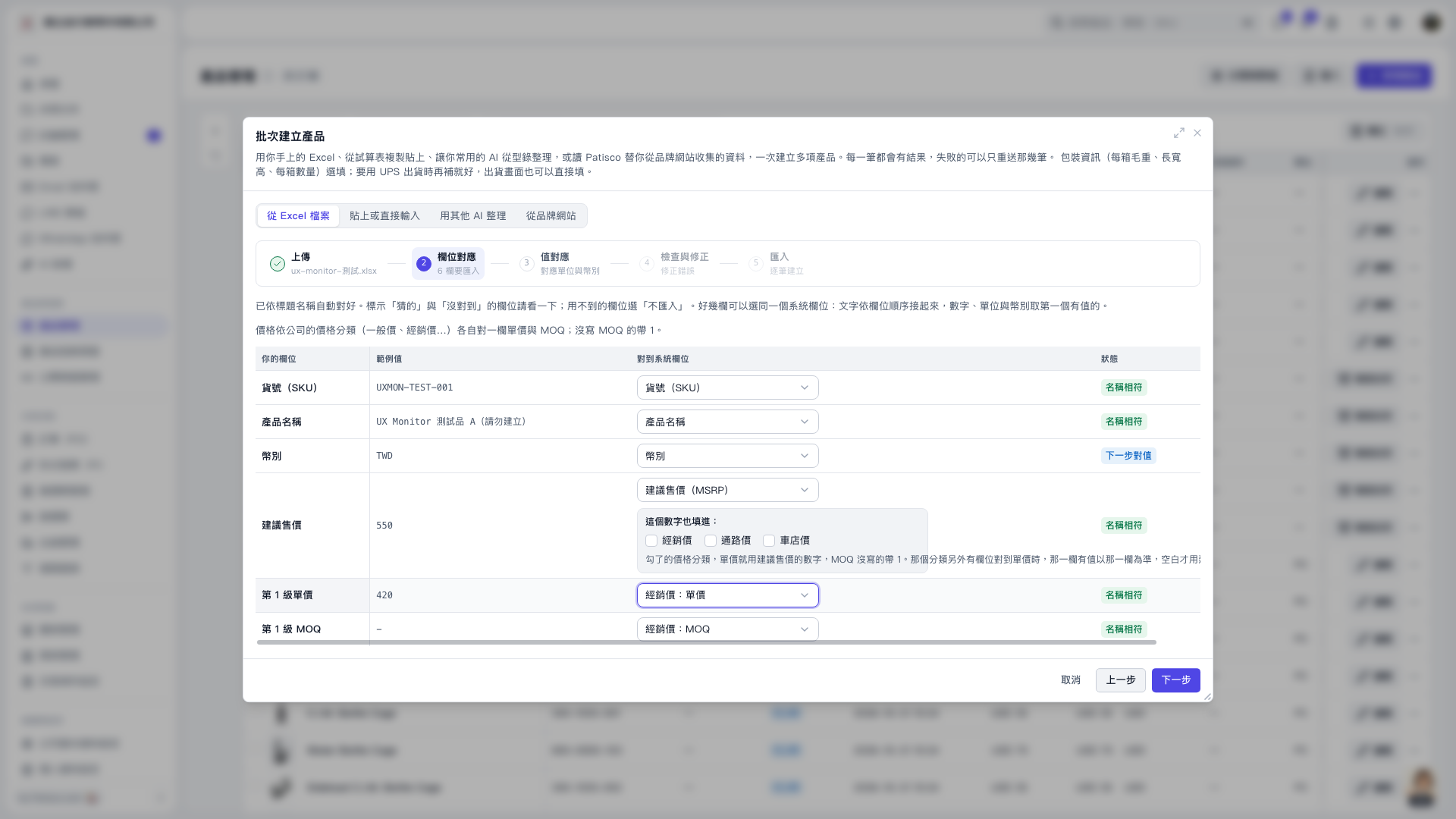
1. In the "From Excel file" flow of "Bulk create products", compare "Your columns" with "Sample values". 2. Use the "Map to system field" dropdown on each row to map the price columns to the categories you need, such as "Distributor price: Unit price" and "Distributor price: MOQ". For columns you don't need, select "Do not import". 3. If MOQ is left blank, 1 is used. 4. Click "Next", confirm the value mapping for fields such as currency, then check, correct, and import following the flow.
 V5 新桌面版|批次建立產品