
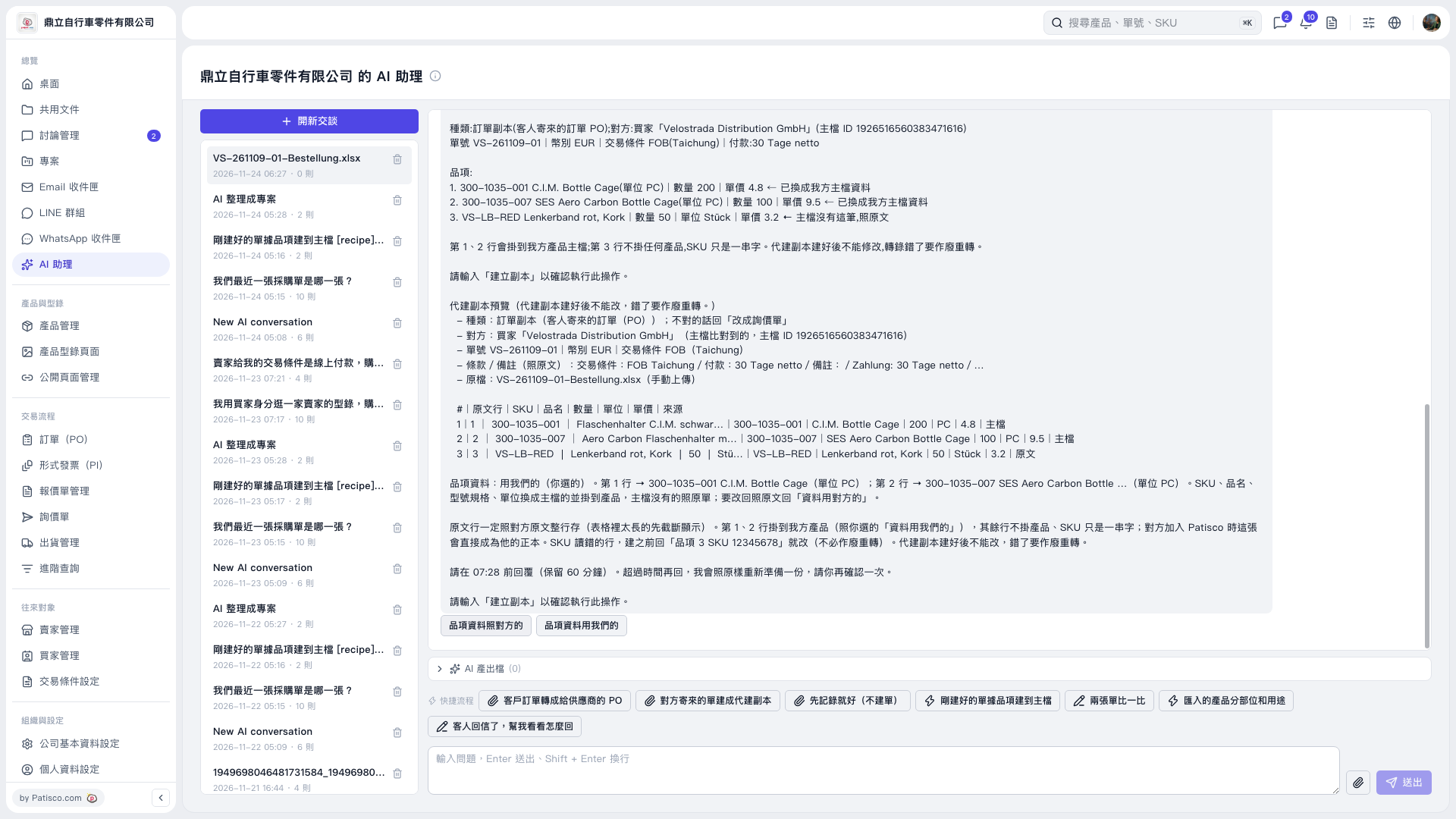
1. In the left-hand "Conversation history", select the conversation you want to work on and review the proxy copy preview. 2. To keep the item data from the other party's original document, click "Use the other party's item data". To use the data from our own product master, click "Use our item data". 3. Check the updated preview's "SKU", "Product name", "Unit" and "Source" item by item. Even after choosing our data, some items may still keep the original data, so rely on each item's "Source". 4. You can ask: "Use our data". How the AI AI responds: it provides an updated preview listing the data and source used for each item.
 V5 新桌面版|鼎立自行車零件有限公司 的 AI 助理