
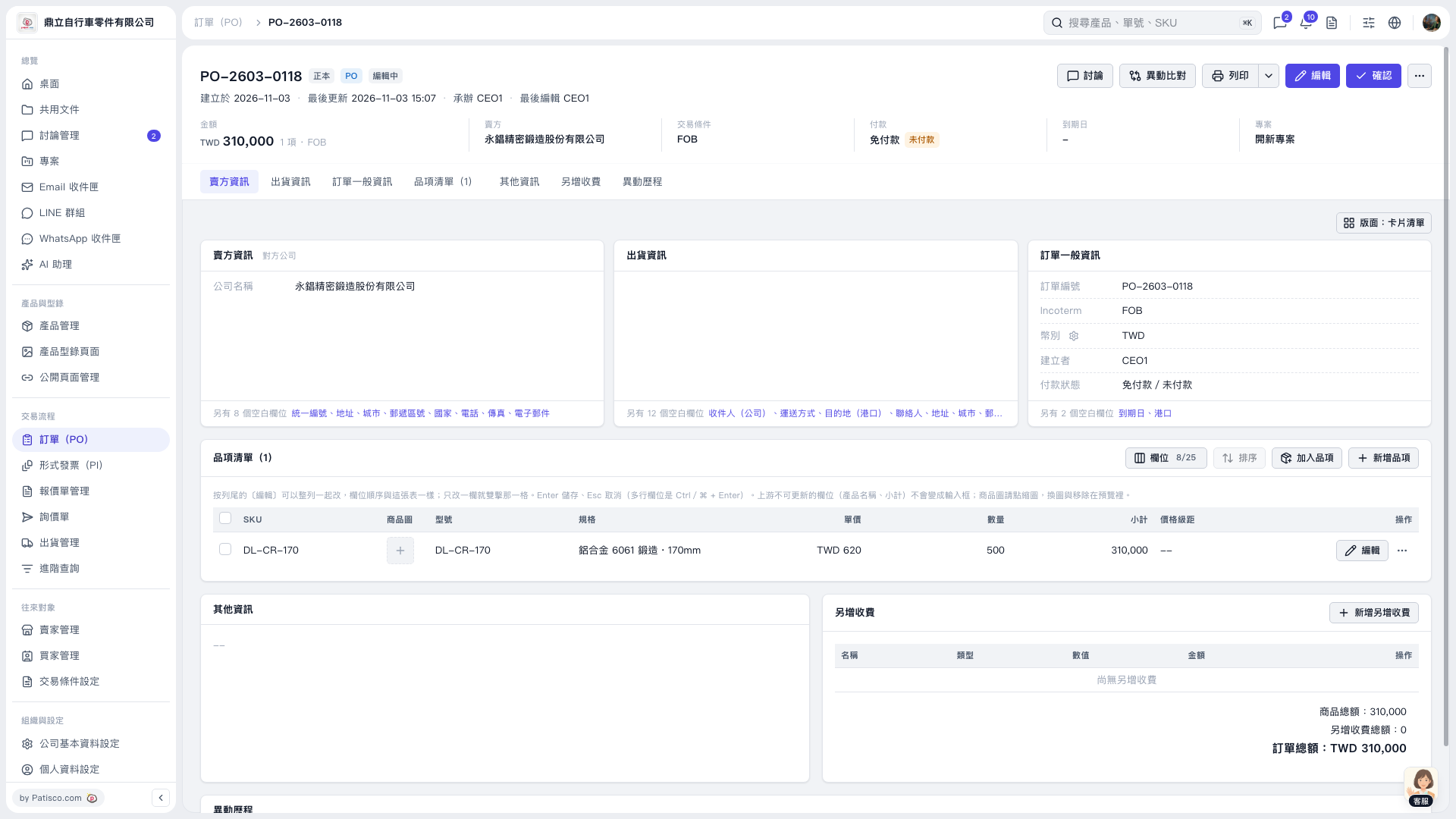
1. To edit the PO information, click "Edit" in the upper right corner. To edit an item, click "Edit" on the right side of that item. 2. To add an existing item, click "Add item". To create a new item, click "New item". If there are extra charges, click "Add additional charge". 3. After checking the item quantities, unit prices and PO total, click "Confirm" in the upper right corner.
 V5 新桌面版|PO-2603-0118