
1. On mobile, go to the "Personal Profile Settings" page and open the Passkey panel. 2. Below the "Add Passkey" button, tap the red-text, white-background [Log out other devices]. 3. When the confirmation box appears, read the description, and tap confirm if you are sure you want to log out. 4. After you confirm, the logins on all other devices are logged out, and only the current device remains. 5. Finally, tap [Done] at the top right of the panel to close it. Note: If you tap [Cancel] in the confirmation box, the box closes and no devices are logged out.
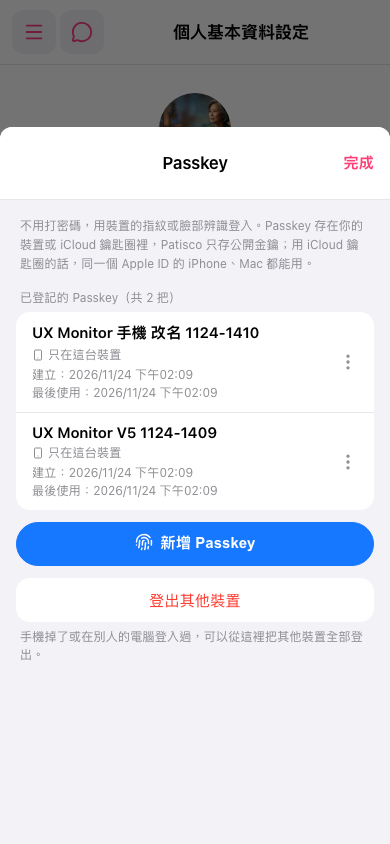 手機版|Passkey(位於「個人基本資料設定」頁面上的彈出面板)