
1. On mobile, go to the "Personal Profile Settings" page and open the Passkey panel. 2. The "Registered Passkeys" list shows each Passkey's name, storage scope (this device only), creation time, and last used time. 3. To add a Passkey, tap the blue [Add Passkey], then follow the on-screen prompts to complete fingerprint or face recognition. 4. To rename or delete a Passkey, tap [⋮] on the right of that entry and choose from the menu. 5. To log out other devices, tap the red text [Log out other devices]. 6. When finished, tap [Done] at the top right to return to the Personal Profile Settings page.
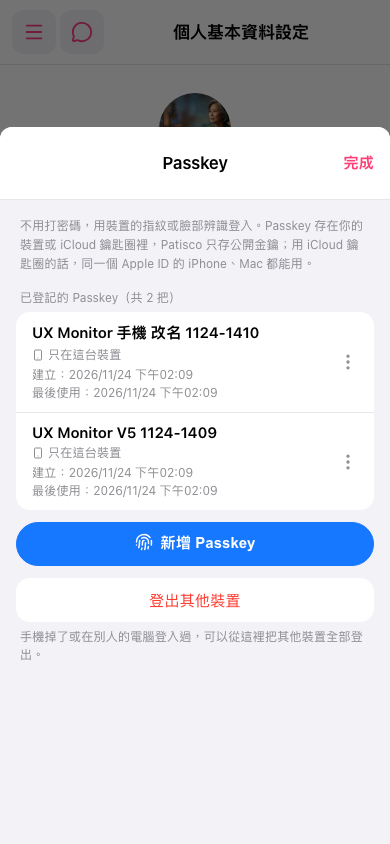 手機版|Passkey(位於「個人基本資料設定」頁面上的彈出面板)