
1. Go to the "Personal Profile Settings" page and open the Passkey pop-up. 2. In the "Registered Passkeys" list, find the Passkey you want to delete. 3. Tap [⋮] on the right side of that row. 4. In the menu, select [Delete] (in red text). 5. A confirmation box will ask "Delete Passkey "…"?" Tap [Delete]. 6. A message will appear saying the Passkey has been deleted, and it will no longer be in the list. 7. Tap [Done] at the top right to close the pop-up and return to the Personal Profile Settings page. Note: When you delete a Passkey, any other devices signed in with that Passkey will also be signed out. You need to perform this action yourself on the screen; the AI assistant will not delete it for you.
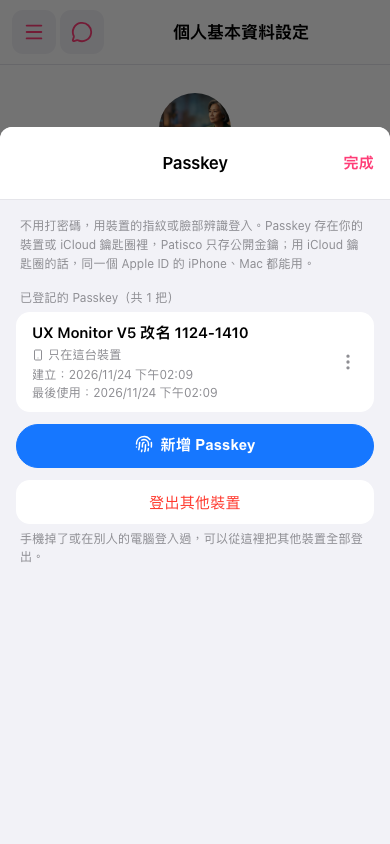 手機版|個人基本資料設定(Passkey 管理彈窗)