
1. Go to the "Personal Profile Settings" page and open the Passkey pop-up. 2. To remove a specific Passkey, tap [⋮] on the right side of that row, select [Delete], and tap [Delete] in the confirmation box. 3. To sign out all other devices, tap [Sign out other devices] (the red-text, white-background button below the add button). 4. When you are done, tap [Done] at the top right to close the pop-up. To register again on this device later, tap the blue [Add Passkey] button and follow the device prompts to finish using your fingerprint or face recognition.
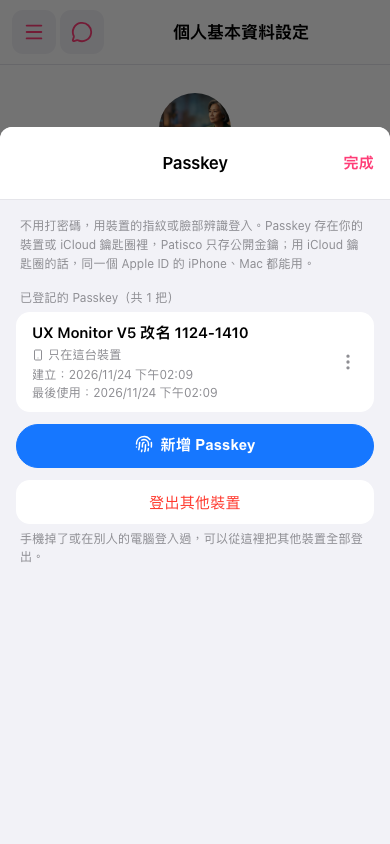 手機版|個人基本資料設定(Passkey 管理彈窗)