
1. On mobile, go to [Personal Profile Settings] and tap "Passkey (Touch ID / Face ID)" to open the Passkey pop-up. 2. Tap the red text [Log out other devices] below the "Add Passkey" button. 3. The login sessions on all other devices will be logged out. 4. When finished, tap [Done] at the top right to close the pop-up. Tip: Each registered Passkey entry has a "⋮" more-options button on the right, which lets you take further actions on that Passkey.
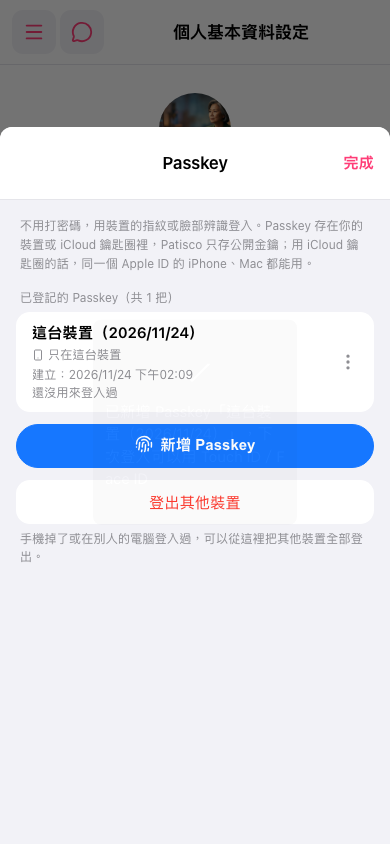 手機版|Passkey(個人基本資料設定頁面上的 Passkey 底部彈窗)