
1. On mobile, go to the "Personal Profile Settings" page and open the Passkey panel. 2. In the "Registered Passkeys" list, find the one you want to rename. 3. Tap [⋮] on the right of that entry. 4. In the menu, select [Rename]. 5. When the "Rename Passkey" small window appears, enter the new name. 6. Tap [Save] at the top right. 7. After you see the "Renamed" message, the name in the list changes to the new one, and the last used time is also shown. 8. Tap [Done] at the top right to close the panel and return to the Personal Profile Settings page.
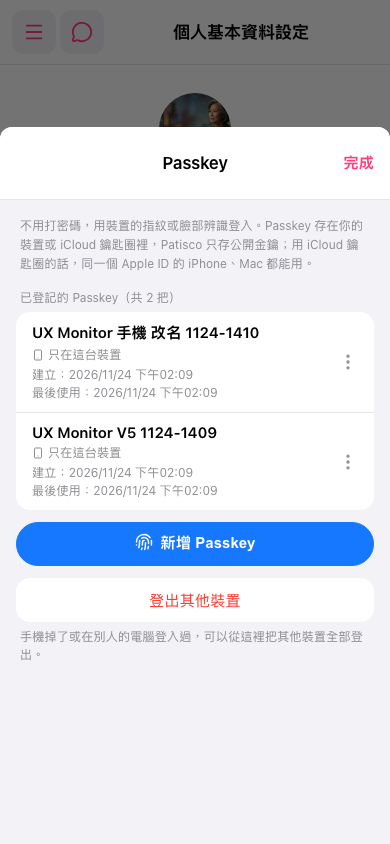 手機版|個人基本資料設定(Passkey 管理面板)