
1. Go to the "Personal Profile Settings" page and open the Passkey panel. 2. To add a Passkey: tap the blue [Add Passkey] button in the lower middle of the panel, then follow the device prompts to complete fingerprint or face verification. 3. To log out all other devices: tap the red text [Log out other devices] below [Add Passkey]. 4. Each Passkey in the list shows its name, device scope, creation time, and last used time. 5. When finished, tap [Done] at the top right to close the panel.
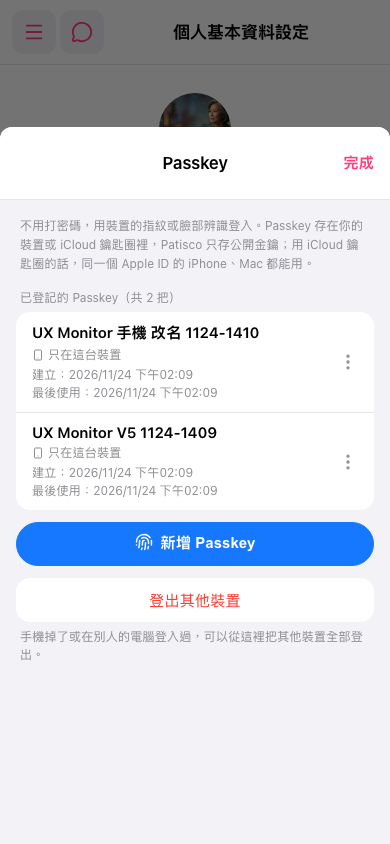 手機版|個人基本資料設定(Passkey 管理面板)